
FortiDevice - Saved Queries
FortiDevice is a Cyber Asset Attack Surface Management (CAASM) platform that provides comprehensive security visibility across corporate networks. It merges asset, network, software, and vulnerability data to help security teams identify weaknesses, minimize threats, and control risk exposure across their environment.
Challenge
Security administrators often deal with large sets of assets - making it essential to filter and narrow down results efficiently. Without a way to save these queries, users had to manually rebuild the same filters every time they needed a particular view - a repetitive and time consuming process that slowed down their day to day security operations.
Solution
An inline query saving experience built directly on the inventory table - allowing analysts to build, test, and save queries in context without losing sight of their data.
My Role
Staff UX Designer
My Responsibilities
Worked directly with the product lead to gather and understand requirements. Independently responsible for all Figma design, iterations, and developer handoff.
Duration
Aug 2024 – Oct 2024
Design Process

Discovery
As the product evolved, a new requirement emerged. Security administrators often deal with large sets of assets - making it essential to filter and narrow down results quickly. A save and reuse search query feature was identified as the best solution to avoid repetitive filtering.
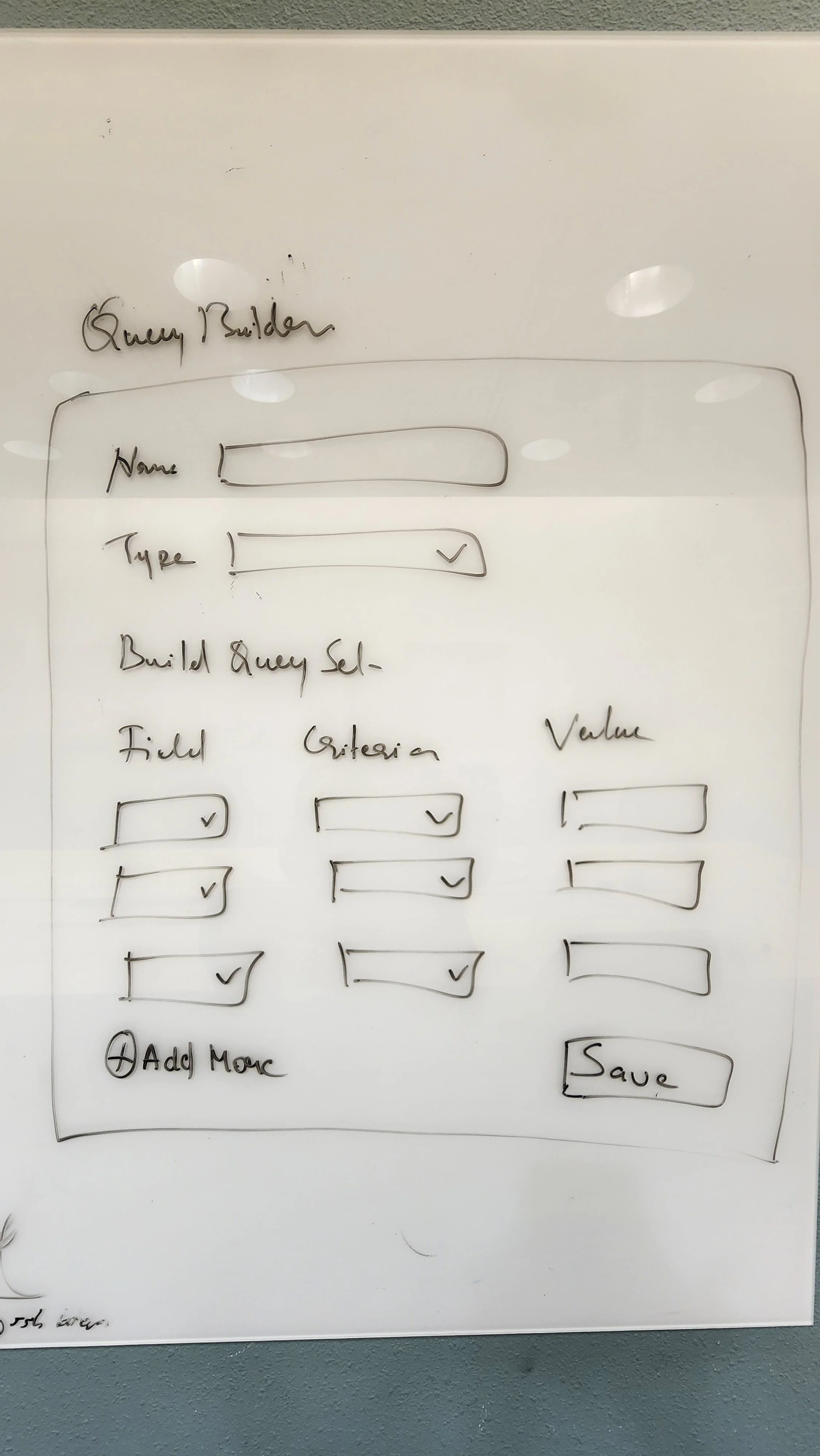
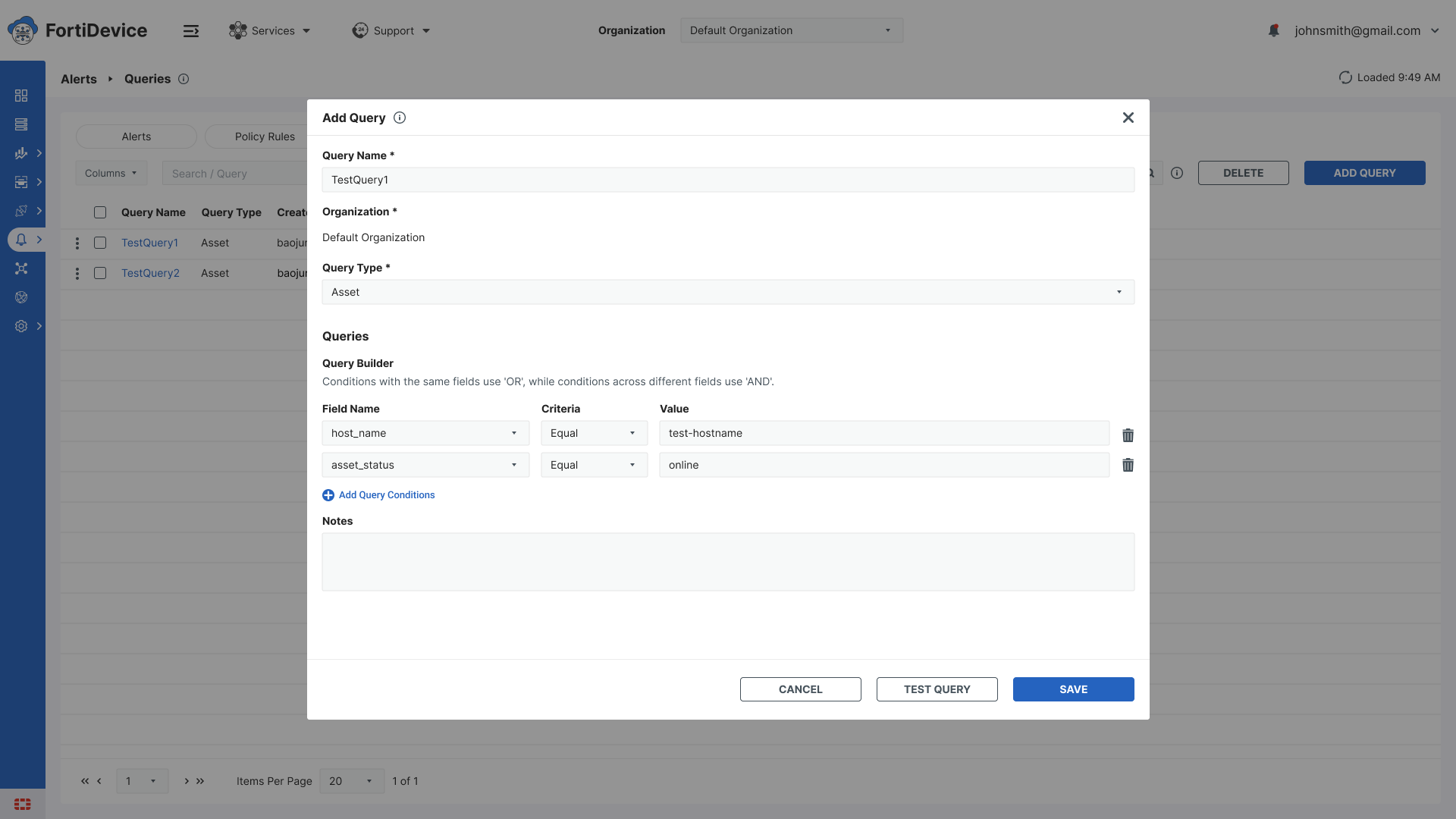
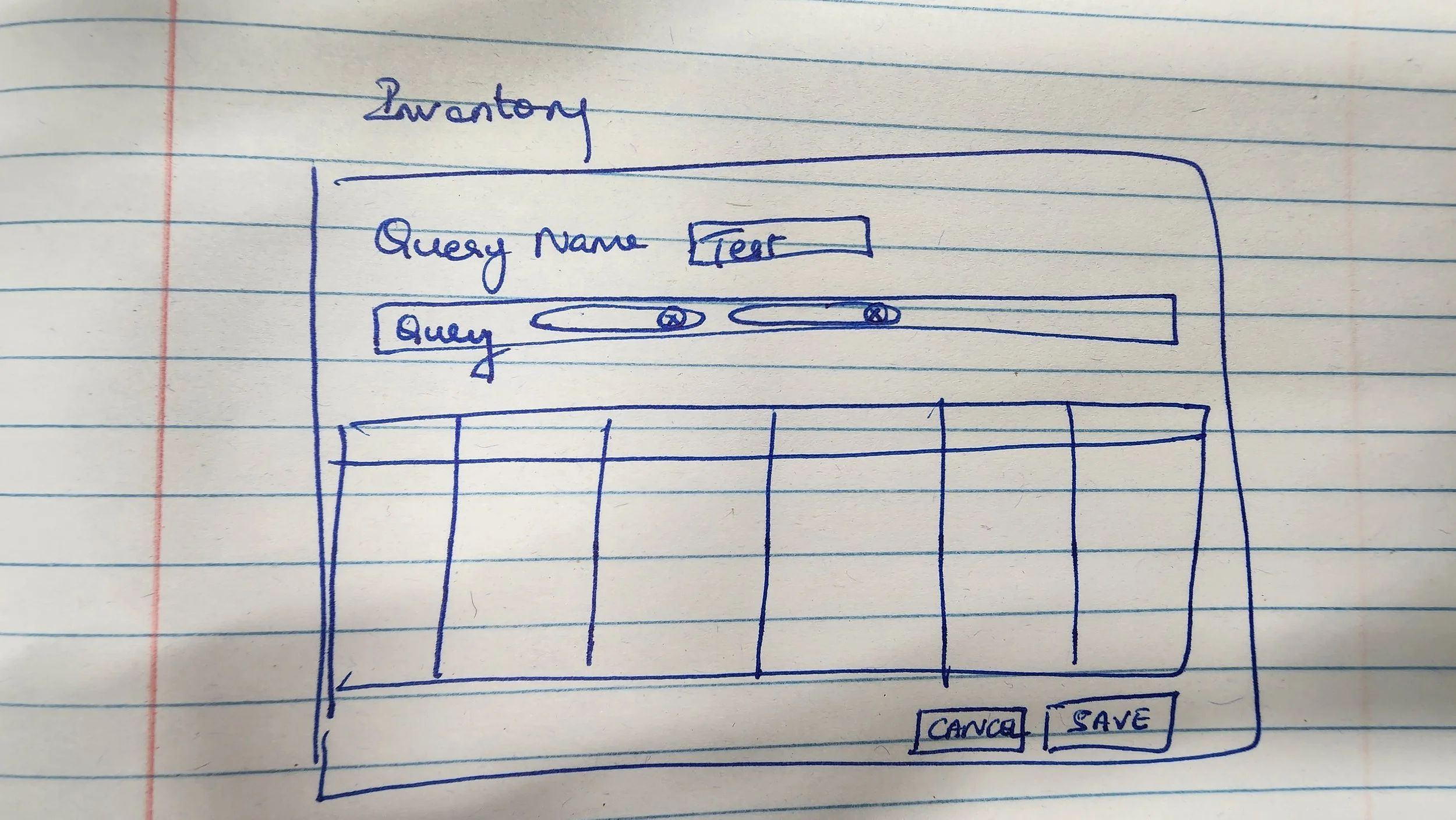
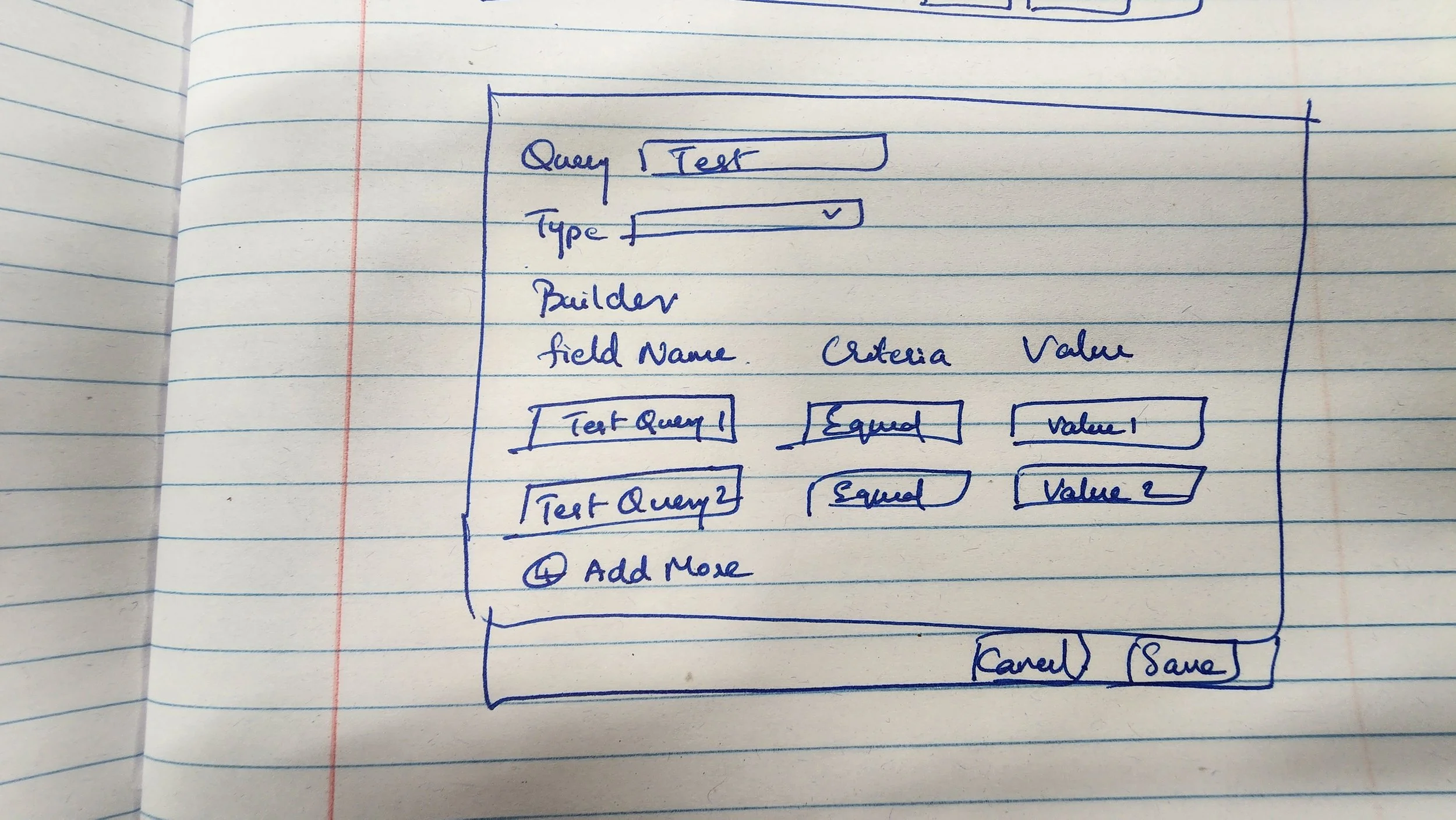
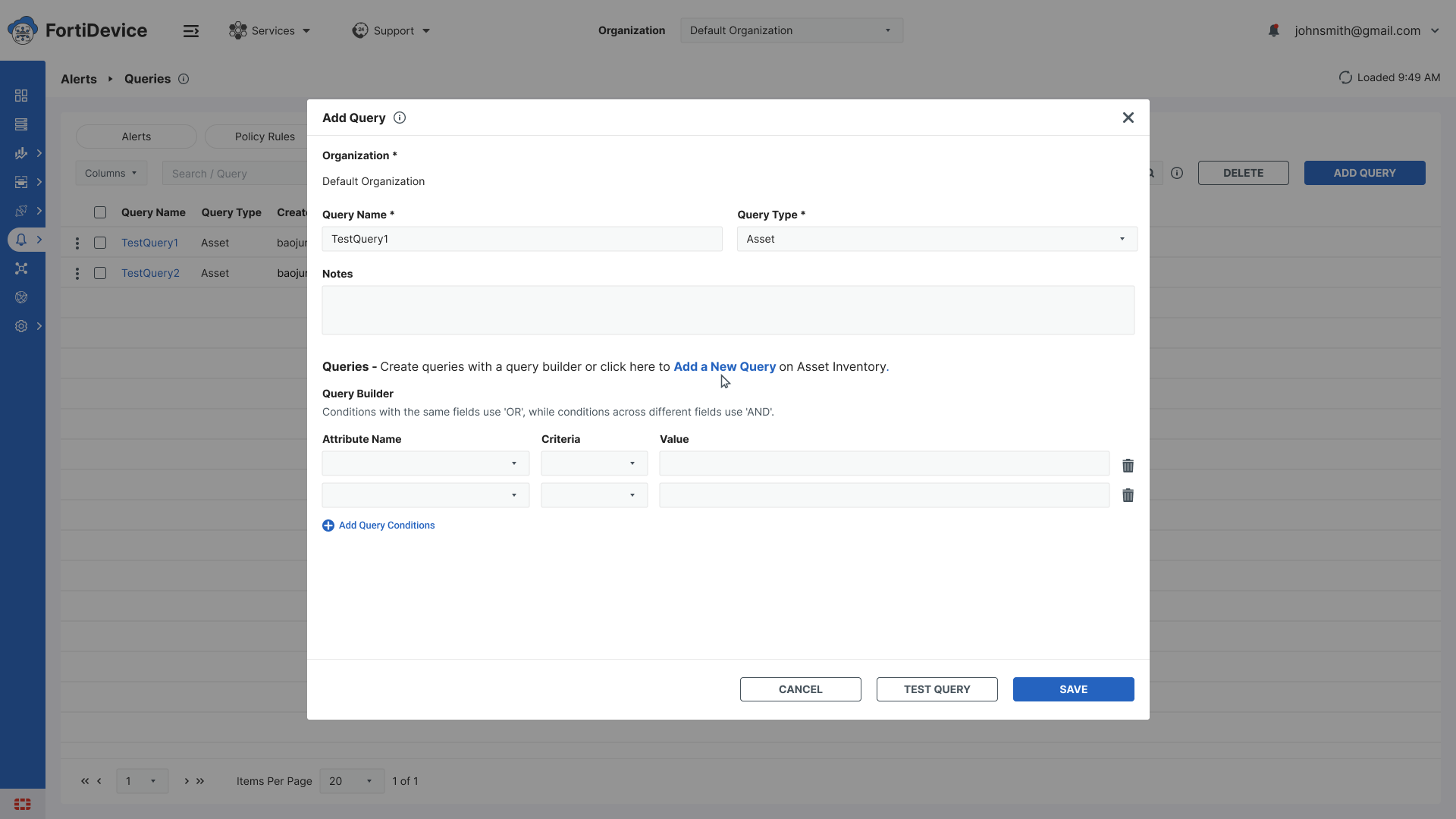
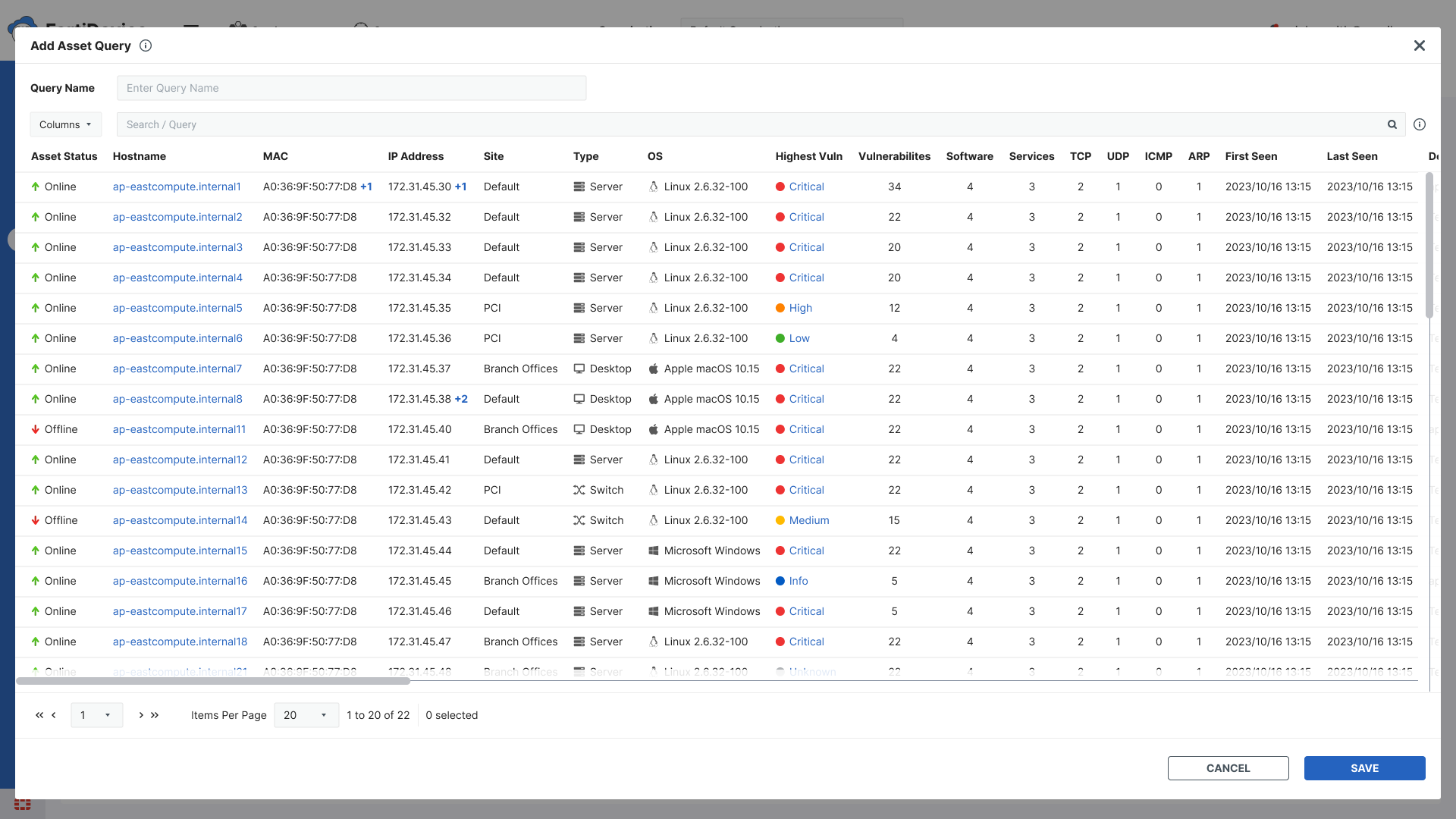
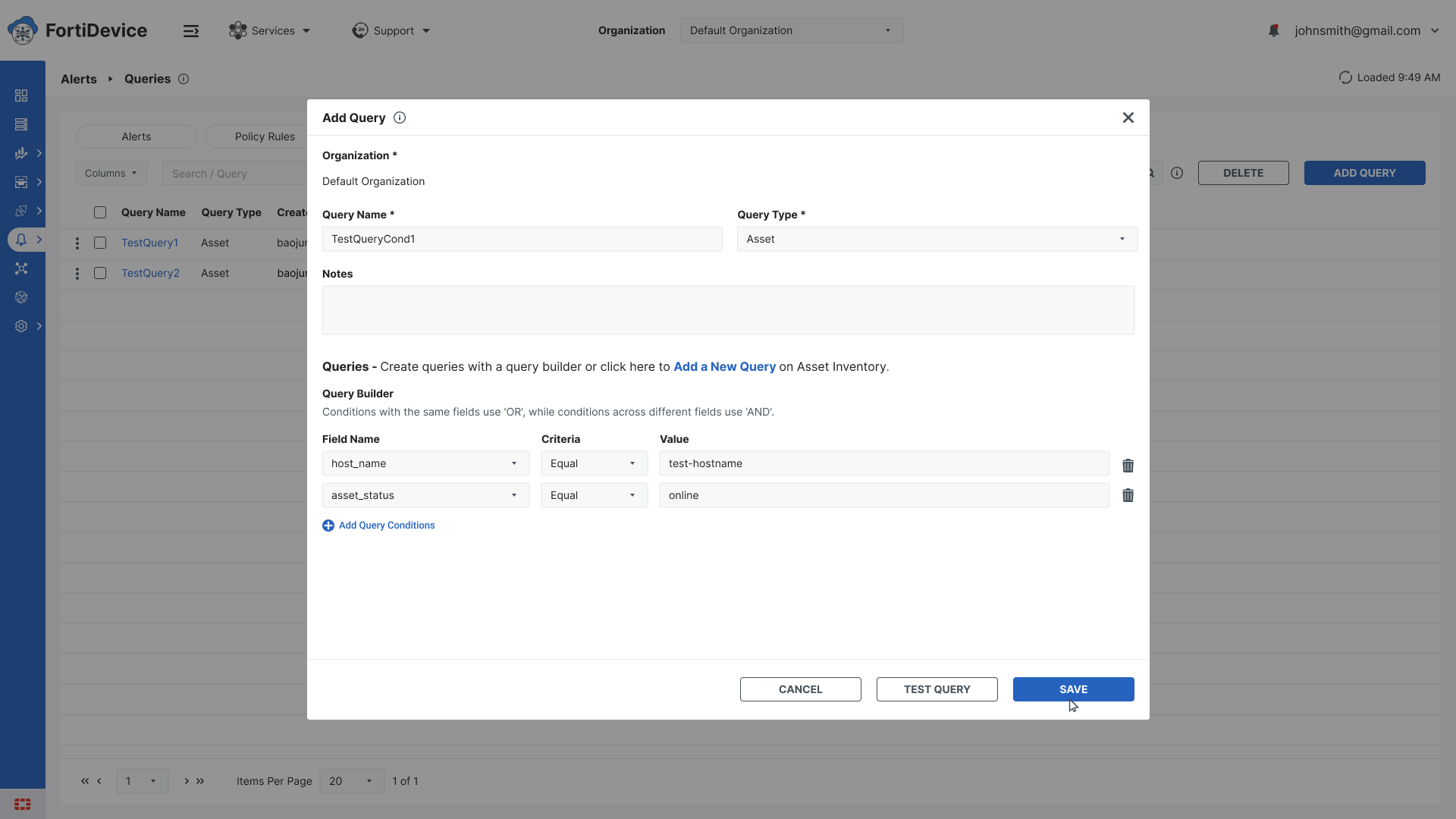
The initial concept proposed was a large modal popup with a dedicated query builder - a dedicated space where users could name, configure, and save their queries.
Ideation
I translated the initial concept into Figma - a large modal popup with a dedicated query builder. While designing it I identified a critical flaw - the modal completely isolated the query builder from the actual inventory data. Users had no way to test whether their query was returning the right results while building it.
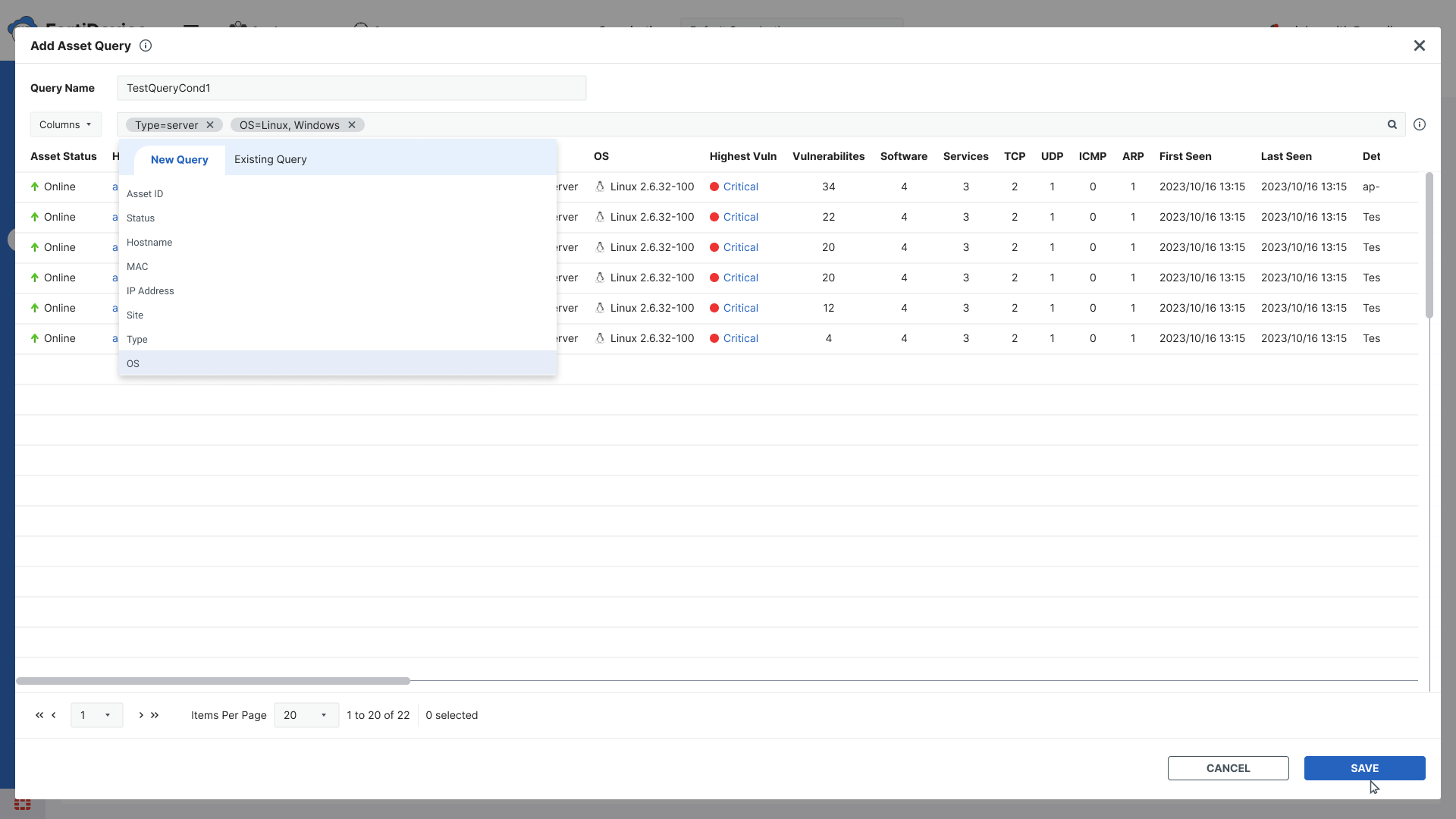
My second approach was to add a link that would take users directly to the inventory screen to test their query. However this still required users to switch context - navigating away from the query builder to validate their work.
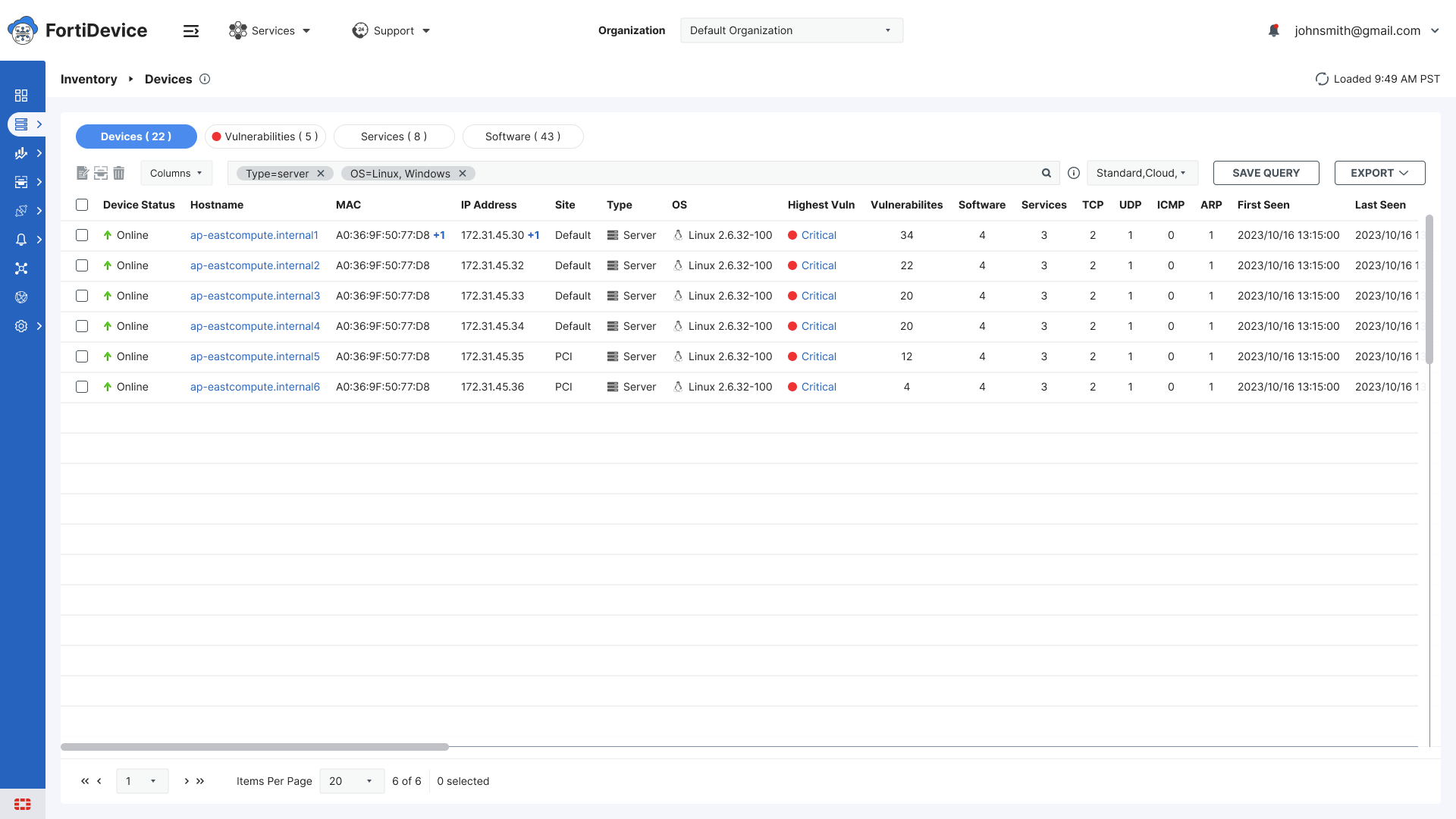
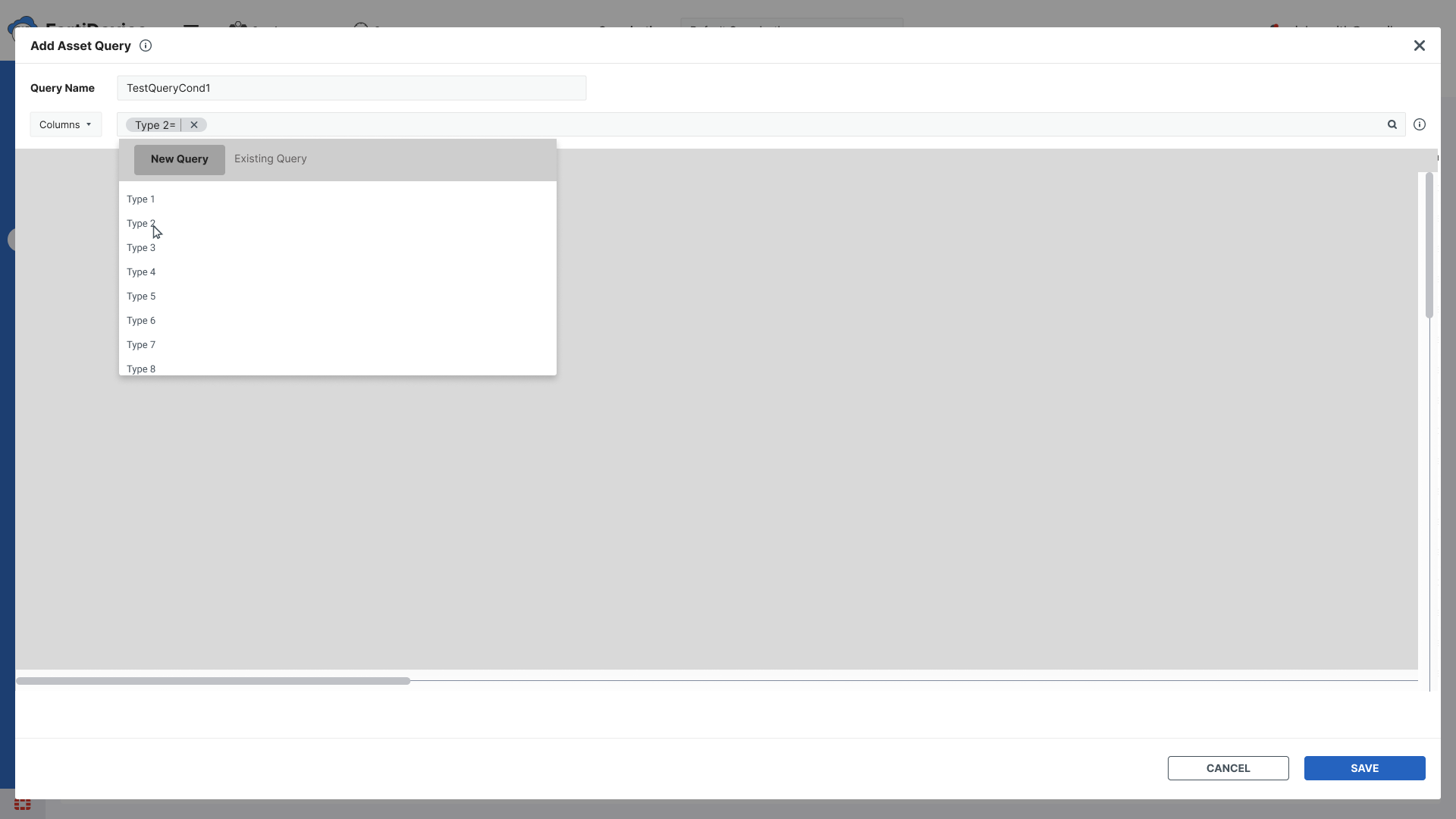
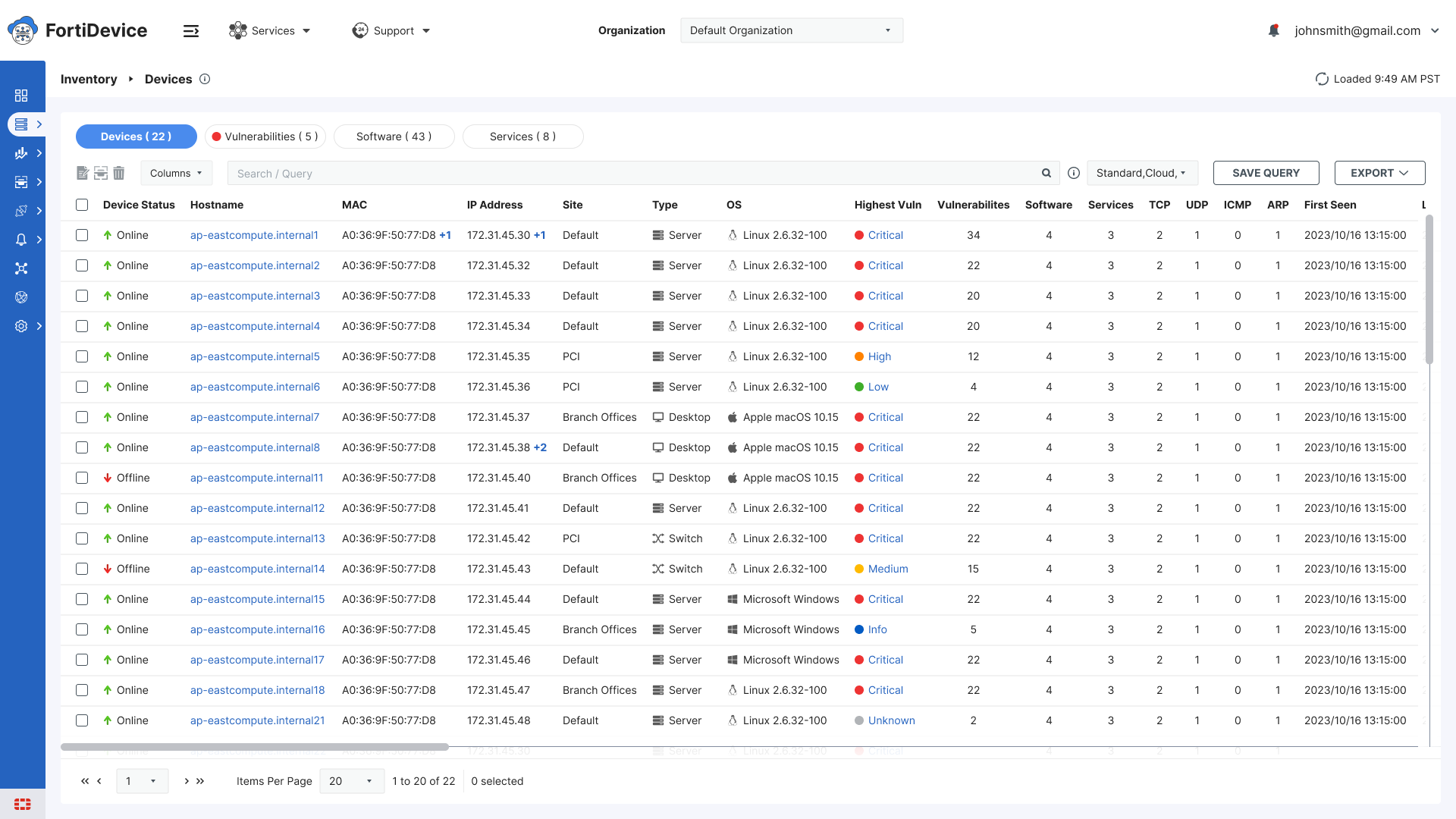
This led to the final solution - move the entire query building and saving experience directly onto the inventory table itself. Users could now build, test, and save queries in one place without ever losing sight of their data.

AI in My Process
ChatGPT - helped refine requirement notes and documentation
UX Pilot - referenced for design inspiration and layout ideas
Prototype
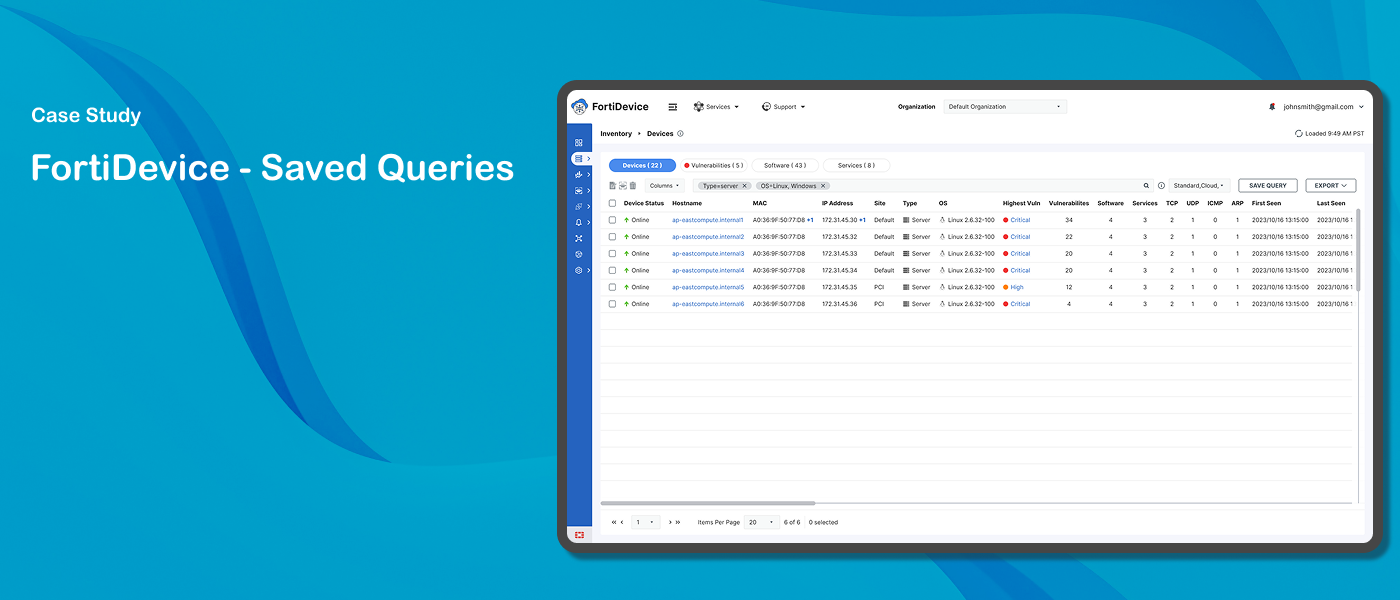
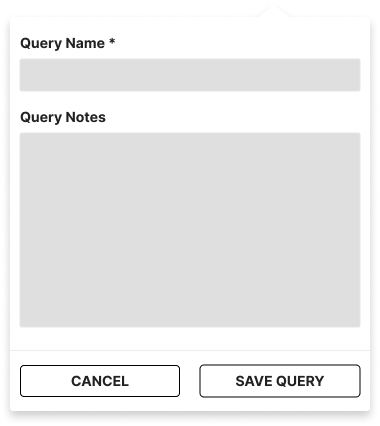
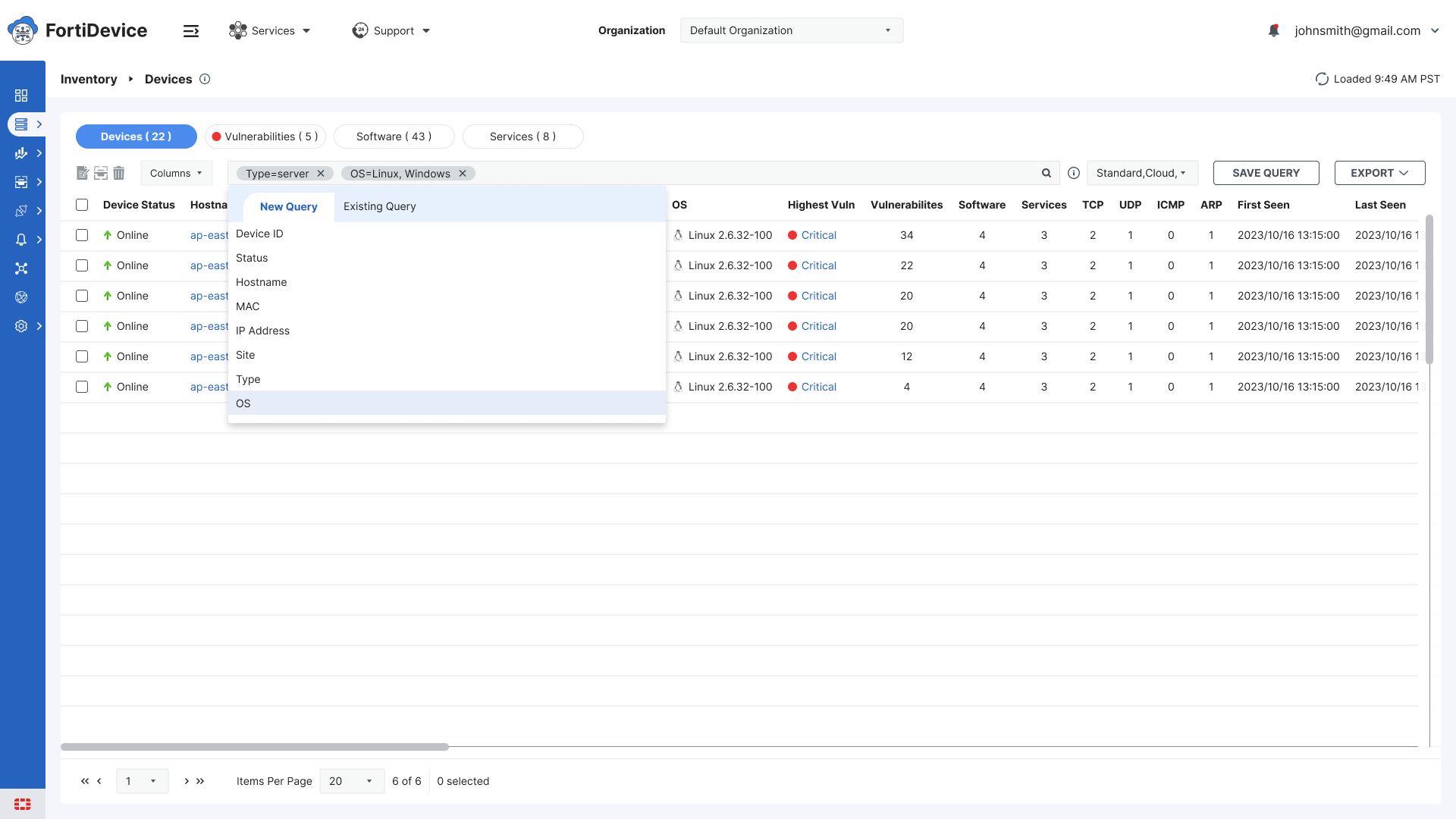
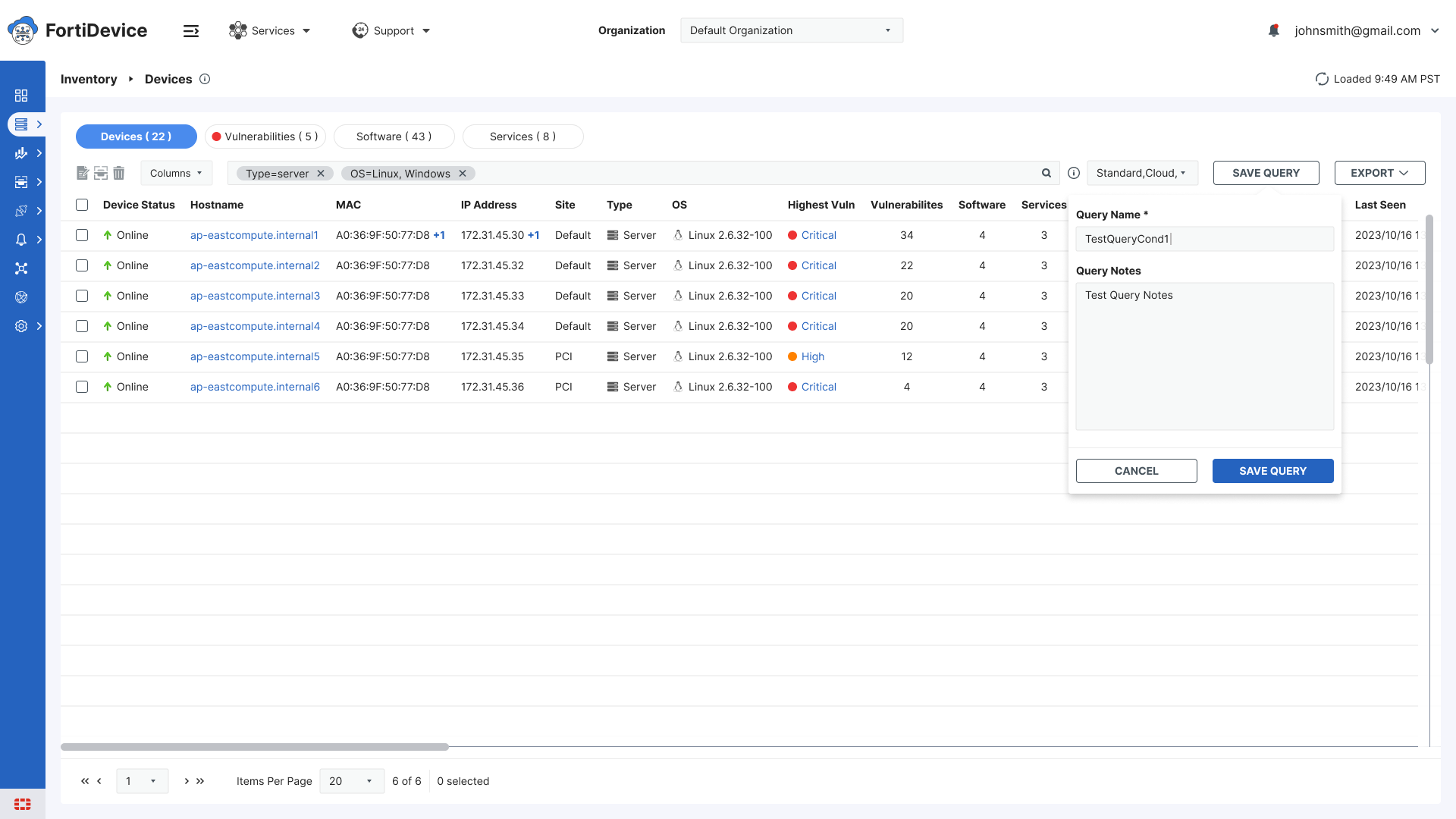
I designed the inline query experience directly on the inventory table. Users apply filters and see results update in real time. When satisfied they click Save Query and a lightweight inline panel slides in from the top asking for just a Query Name and Notes.
Key design decisions:
Inline panel instead of modal — keeps inventory data visible at all times
Minimal save form — just name and notes, no unnecessary fields
Active filters shown as tags above the table
Saved queries accessible from the same interface
Test
Once the prototype was finalized, the design was reviewed with the UX manager and product lead. Inconsistencies were identified and resolved through collaborative review cycles before handoff to the development team. The feature was then validated through internal QA testing.
The feature shipped in FortiDevice - security analysts can now save, name, and reuse complex inventory queries without losing context or retyping searches. The design was subsequently adopted by the FortiData team and implemented across their inventory experience as well.
Initial Sketches & Wireframes
High Fidelity

Outcome
The saved queries feature shipped in FortiDevice and was subsequently implemented in FortiData as well — demonstrating its value and reusability across both products.

Key Takeaways
Designing in context matters. When users need to validate their work in real time, pulling them away from that context - even briefly, creates friction. Moving the experience into the user's working environment — rather than pulling them out of it — made everything simpler and more intuitive.