
FortiData- Discovery Policy Wizard
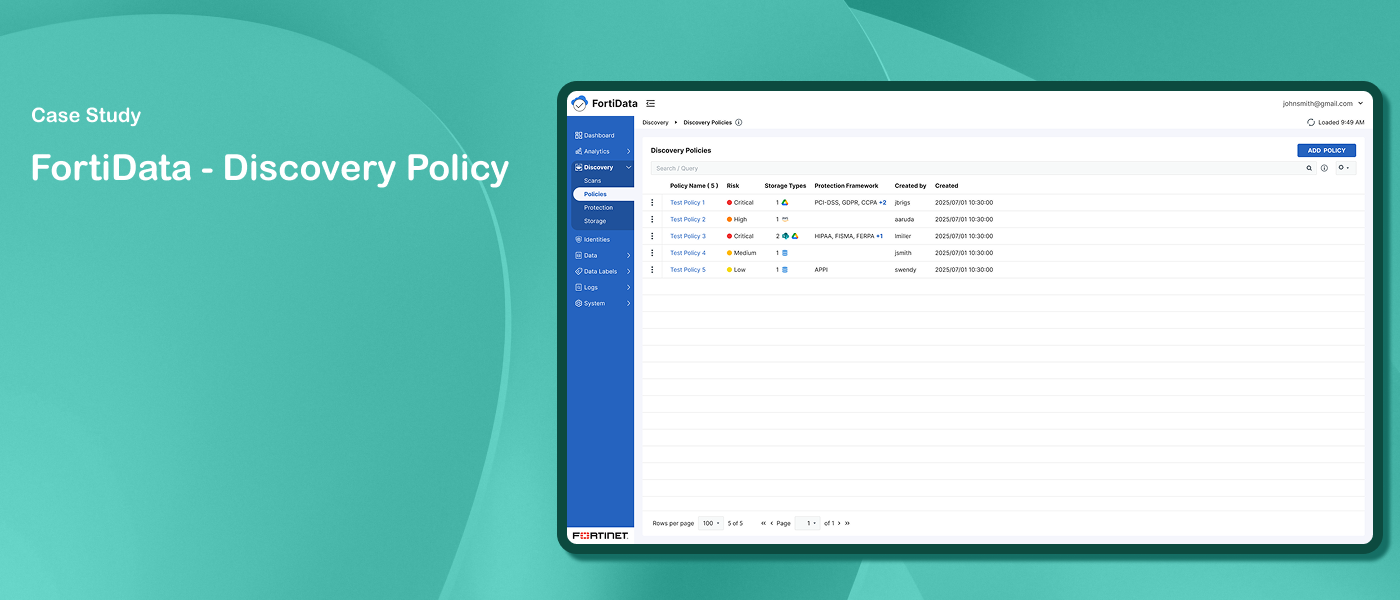
FortiData is an AI-powered data discovery and classification platform that leverages machine learning to discover, classify, and label sensitive data across on-premise file systems, SharePoint, and cloud environments like AWS. It gives security teams a centralized view of their organization's data security posture.
Challenge
Designing the Discovery Policy flow was complex as requirements evolved throughout the process:
Users needed to select data classifiers, build context conditions, and configure automatic labeling - all within a single guided flow
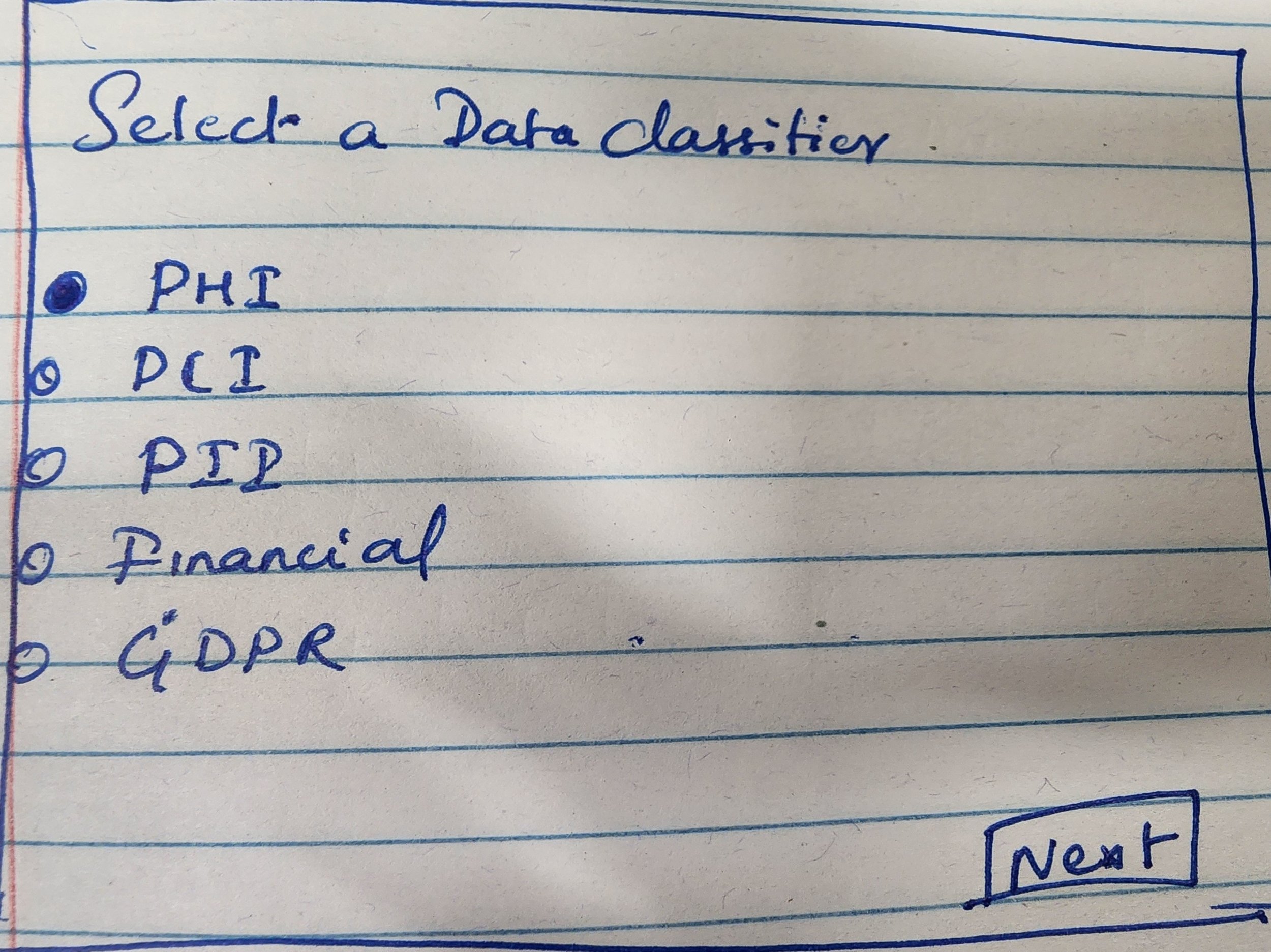
Classifier selection evolved from single to multiple selections.
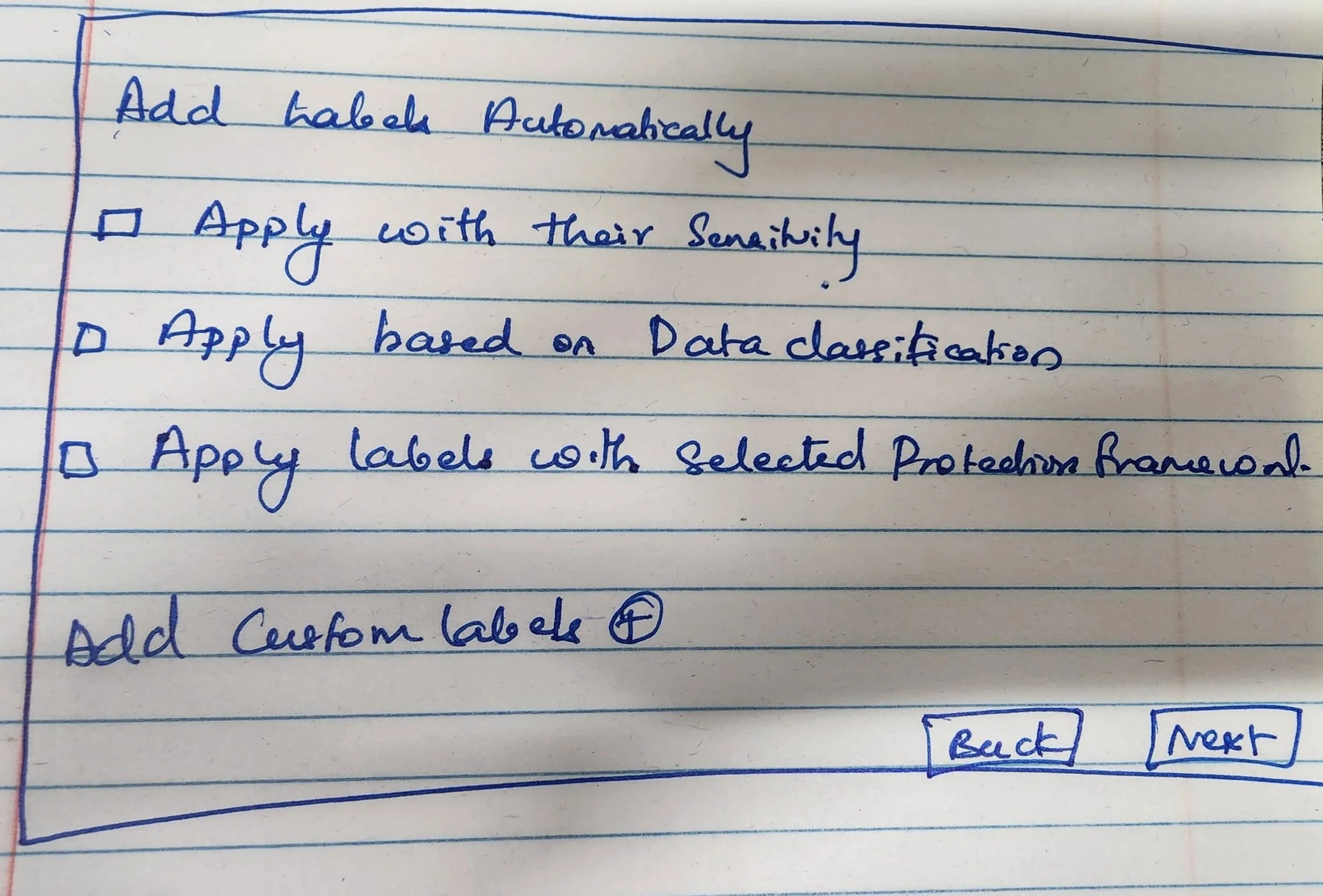
The labeling step changed from manual to automatic with three configuration options.
The Actions step was removed as the product evolved.
Each step had dependencies on previous selections, making clear contextual guidance throughout the flow essential
Solution
A clean, guided wizard that walks security administrators through policy creation step by step - from data classification and context conditions to automatic labeling - with clear contextual guidance at every stage to help users navigate complex decisions.
My Role
Staff UX Designer
My Responsibilities
Collaborated with the UX Manager on the initial wizard design. When new requirements came in, independently drove all design decisions and Figma execution, going through multiple review iterations with the UX Manager before reaching final agreement and developer handoff.
Duration
Oct 2025 – Feb 2026
Design Process

Discovery
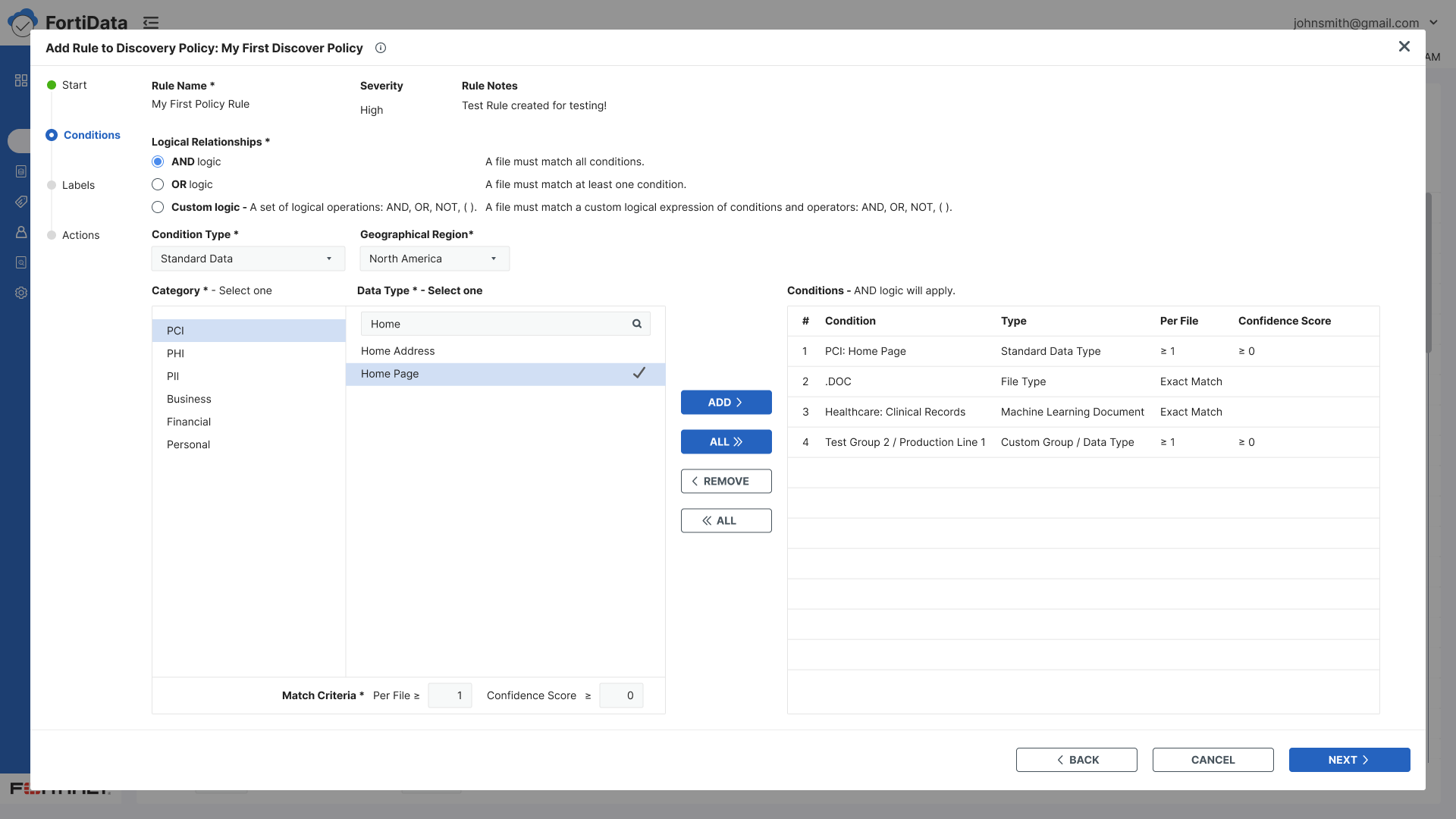
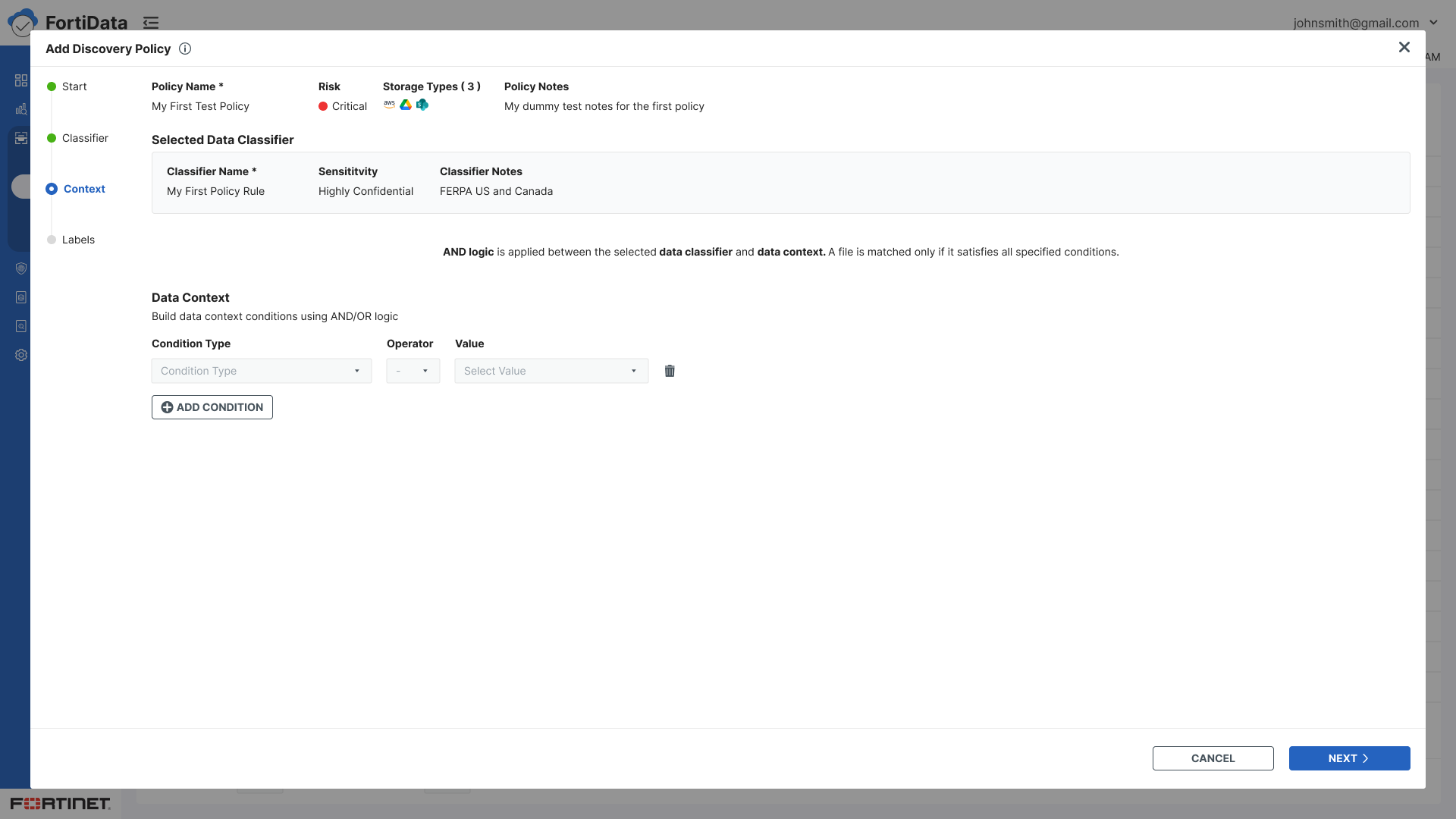
The wizard model was already an established pattern in FortiData, used across other flows, including Add Scan and Add Classifier. The Discovery Policy flow initially followed the same pattern with multiple rules, each requiring conditions, labels, and actions.
As the product evolved, discussions with key stakeholders led to significant changes in the policy creation approach — moving away from rule-based configuration toward a simpler guided flow focused on data classifiers, context conditions, and automatic labeling. These discussions shaped the new wizard structure and set the direction for the redesign.

Ideation
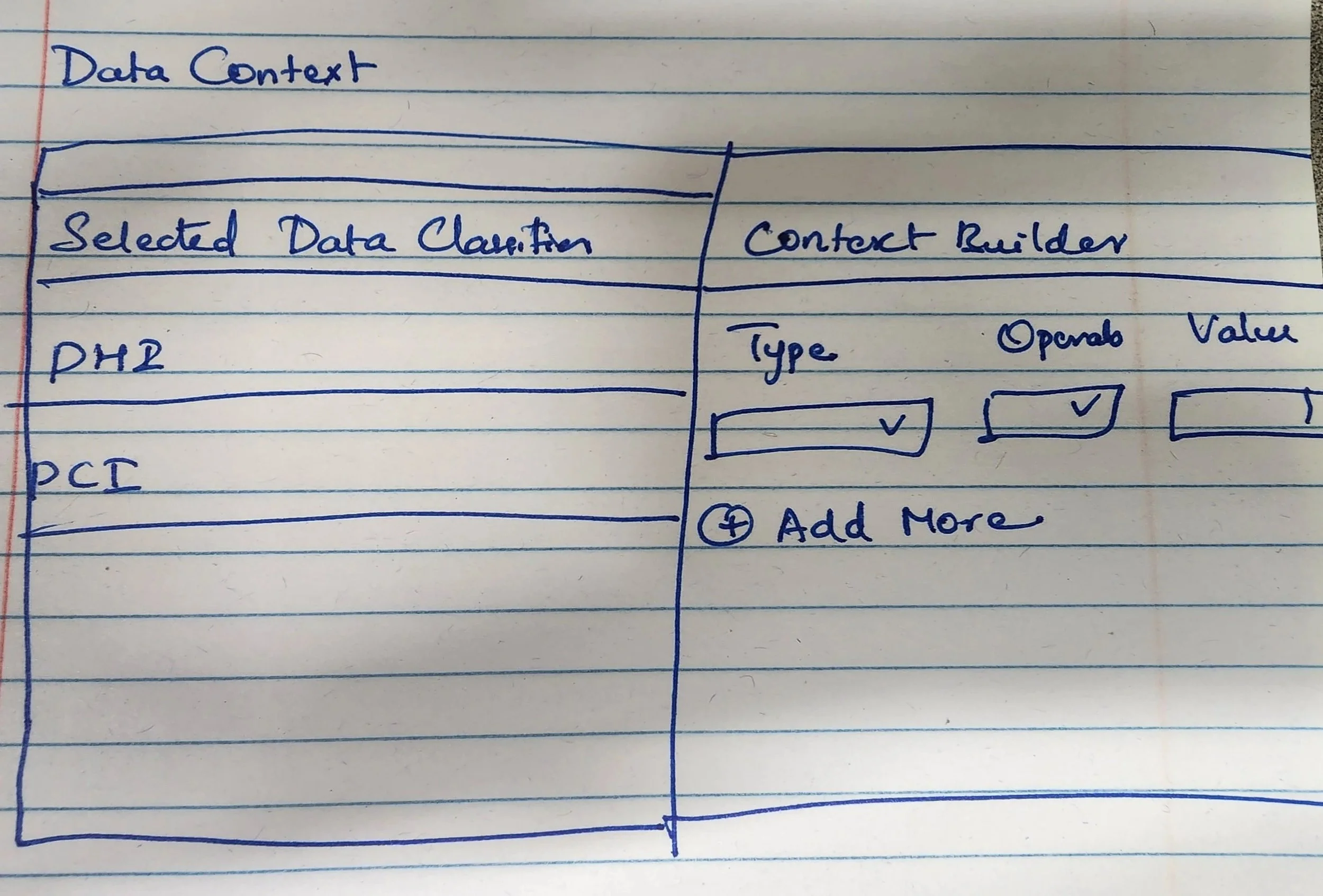
The initial wizard structure was designed collaboratively. As requirements evolved I independently drove the following design changes:
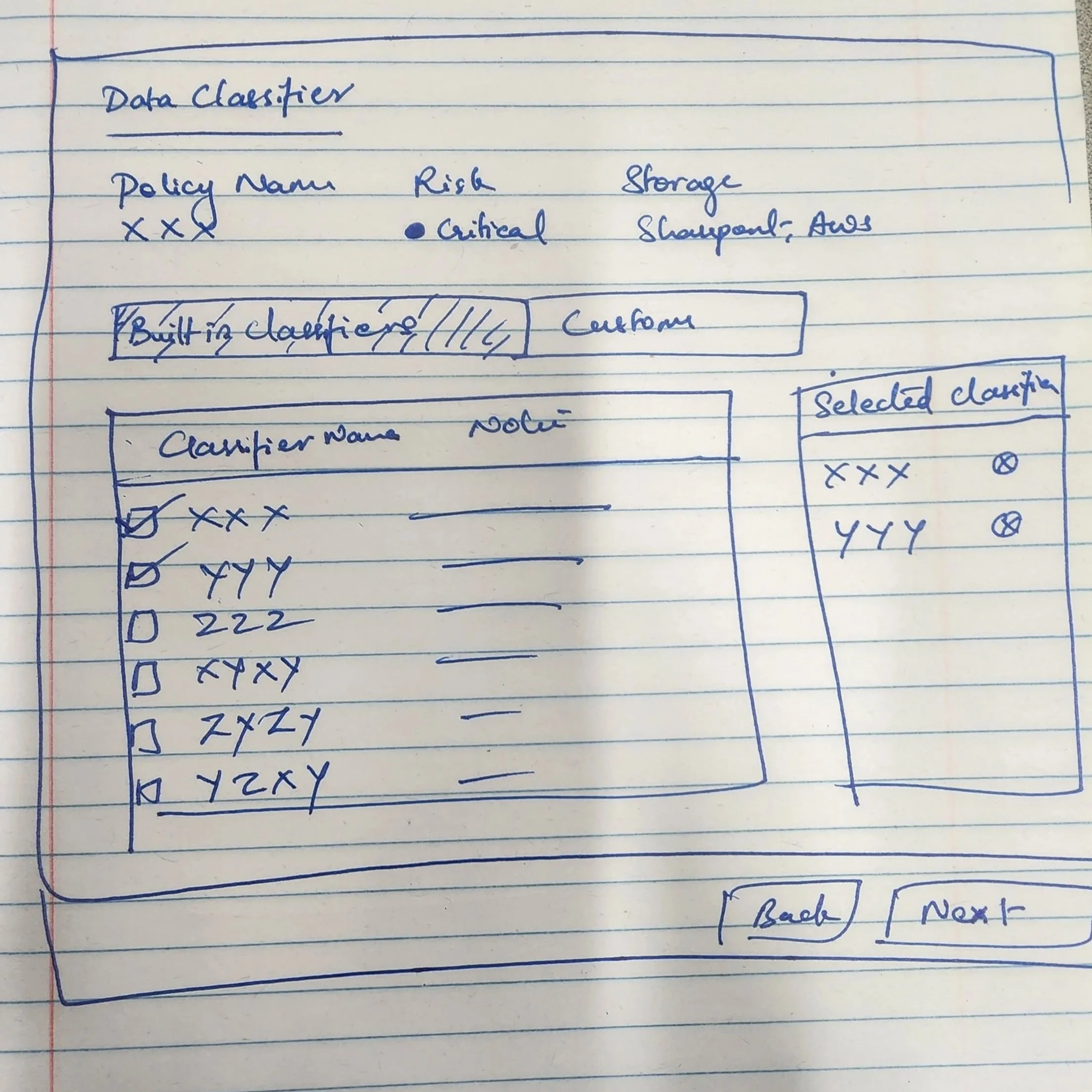
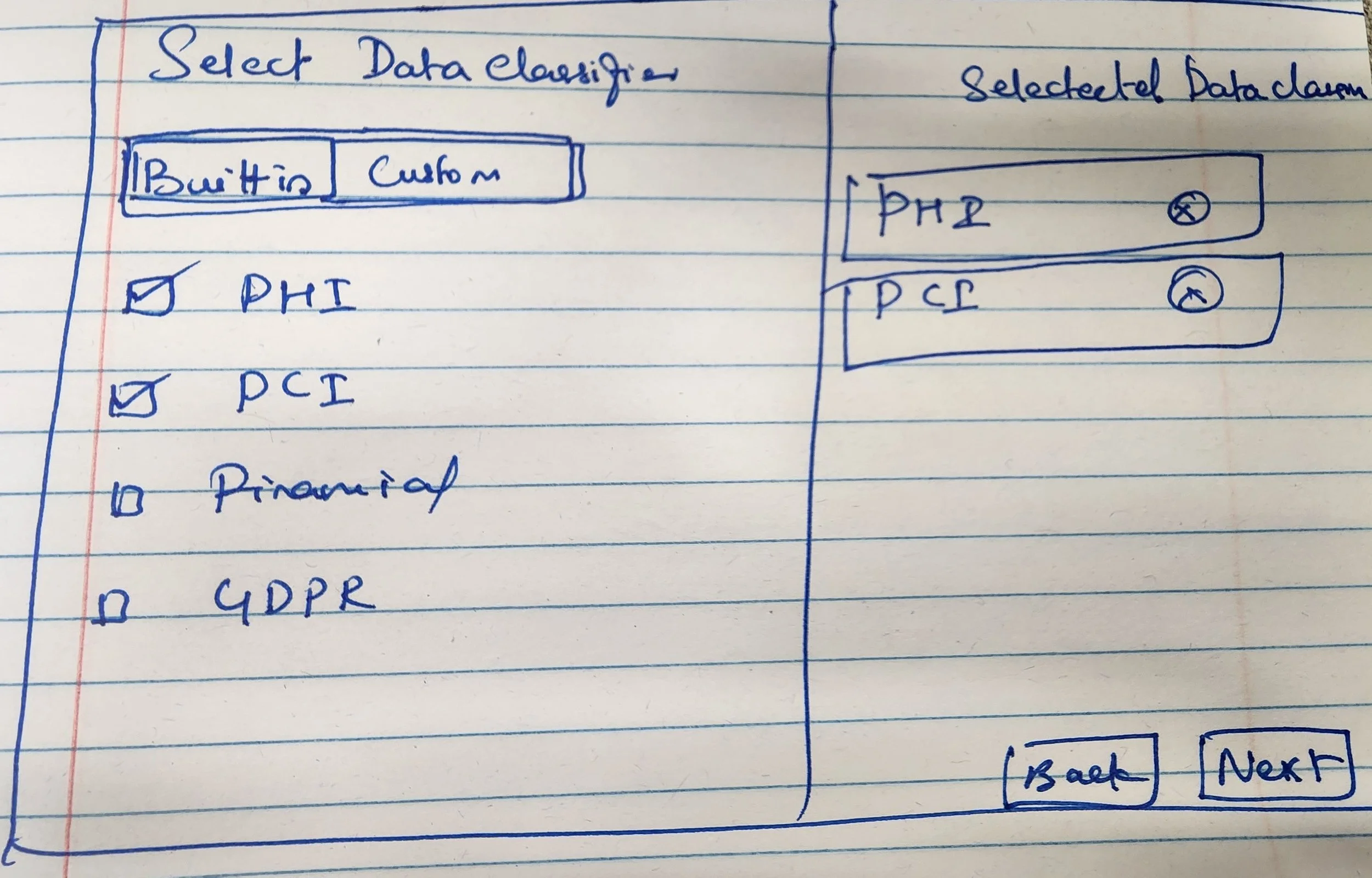
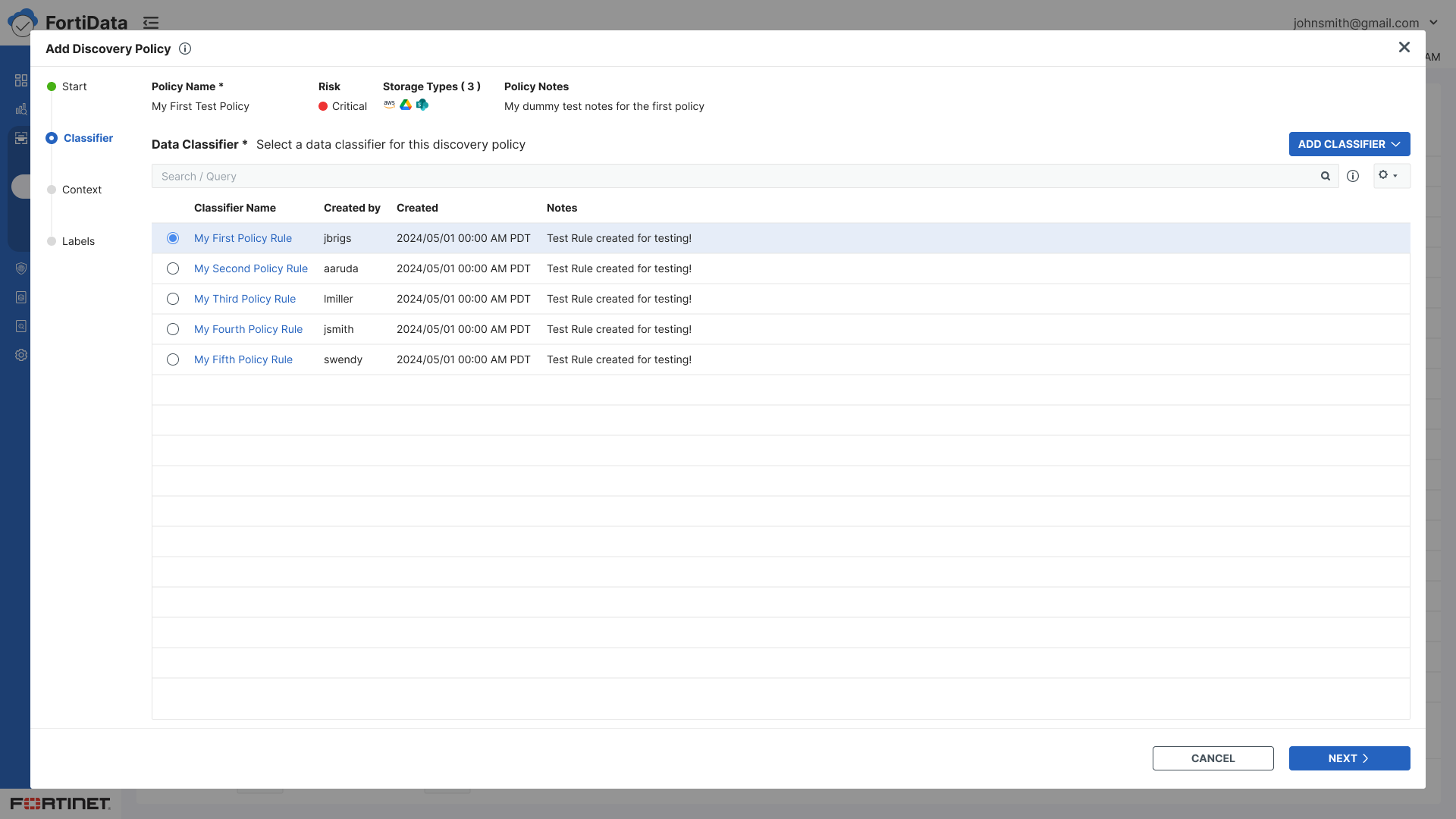
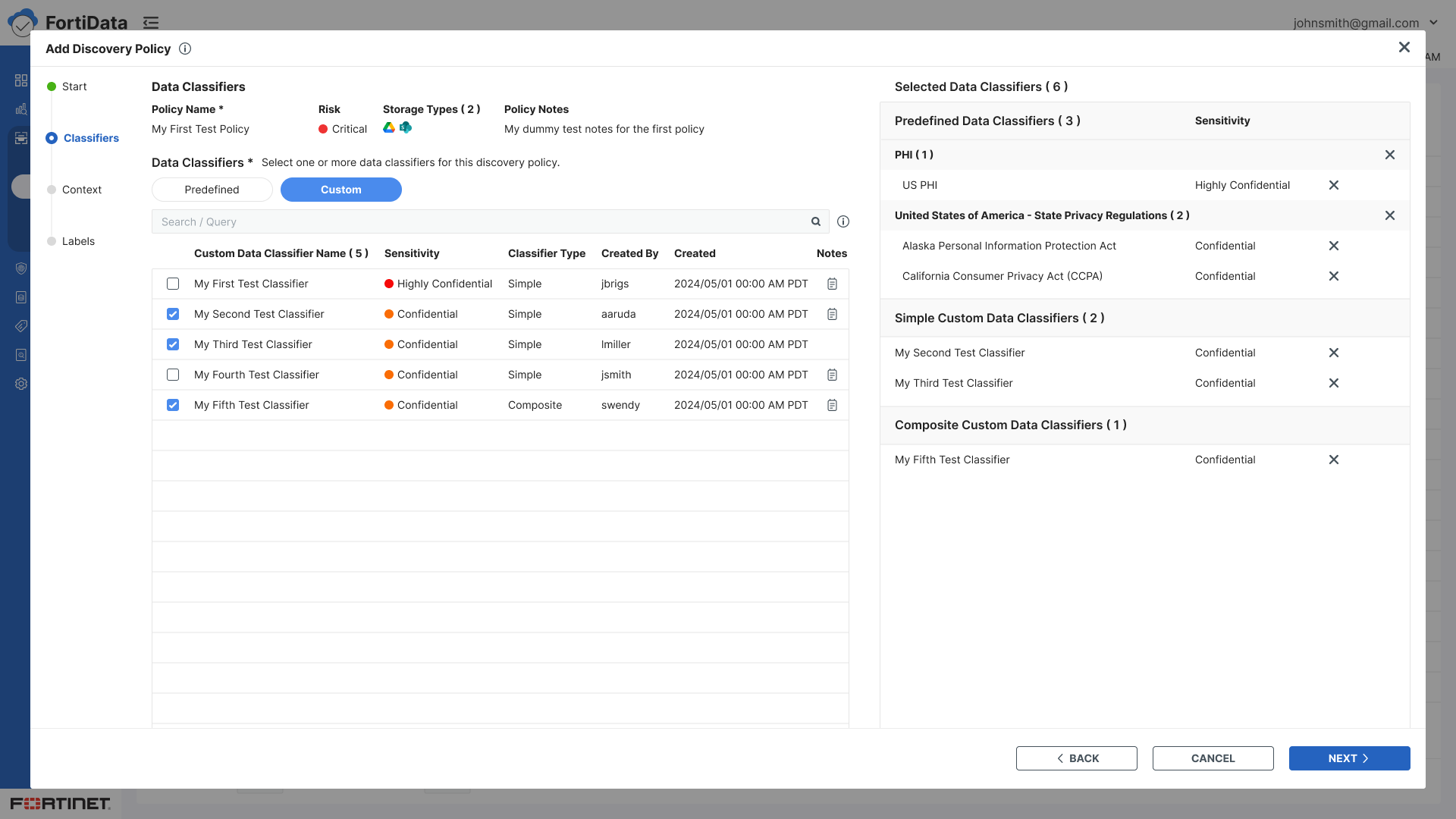
Replaced radio buttons with checkboxes when classifier selection changed from single to multiple
Designed a split-panel layout for the Classifiers step — the full list on the left for browsing and selected classifiers on the right for easy reference.
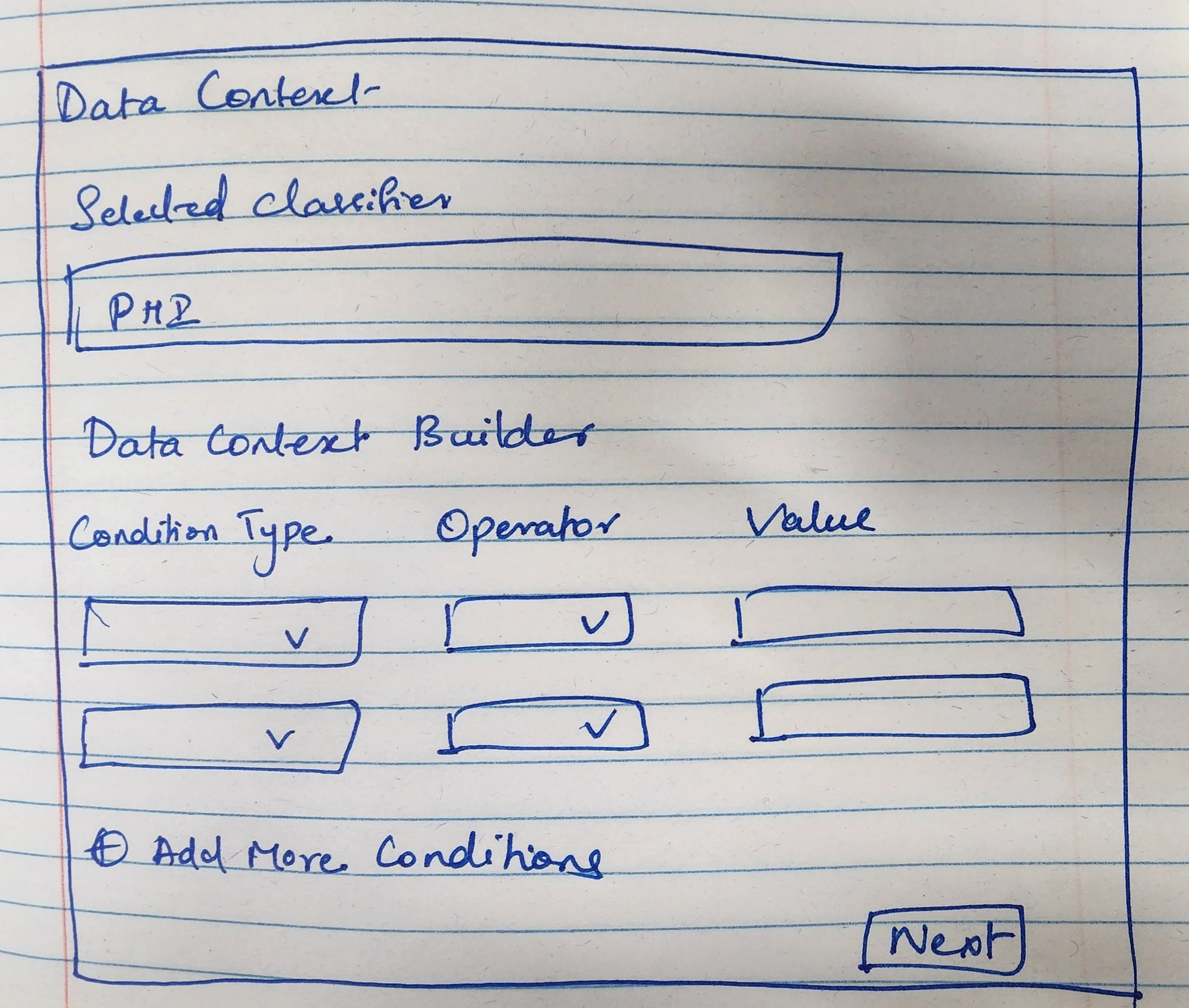
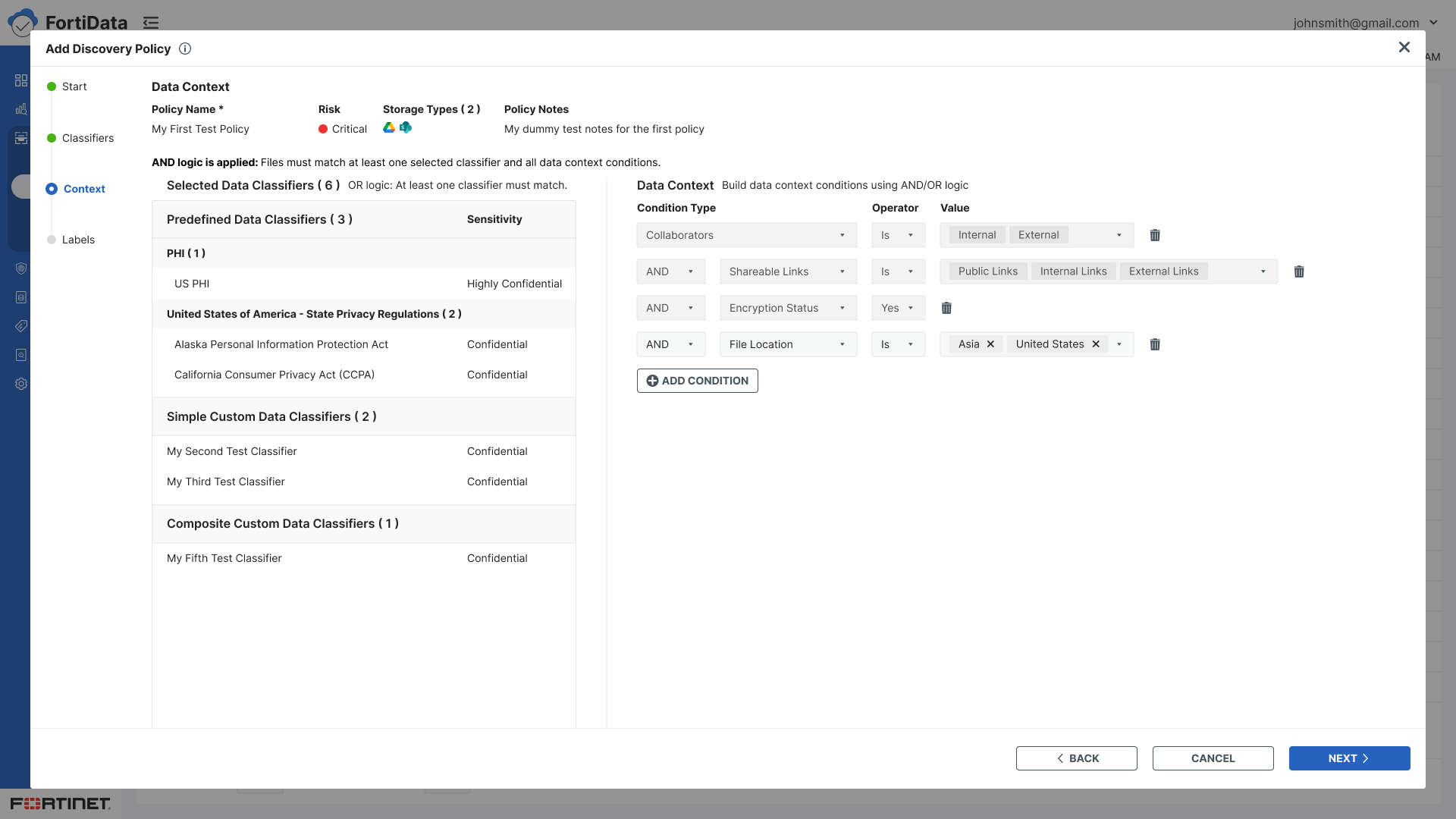
Extended the split-panel pattern to the Context step - classifiers on the left, condition builder on the right - maintaining context across both steps.
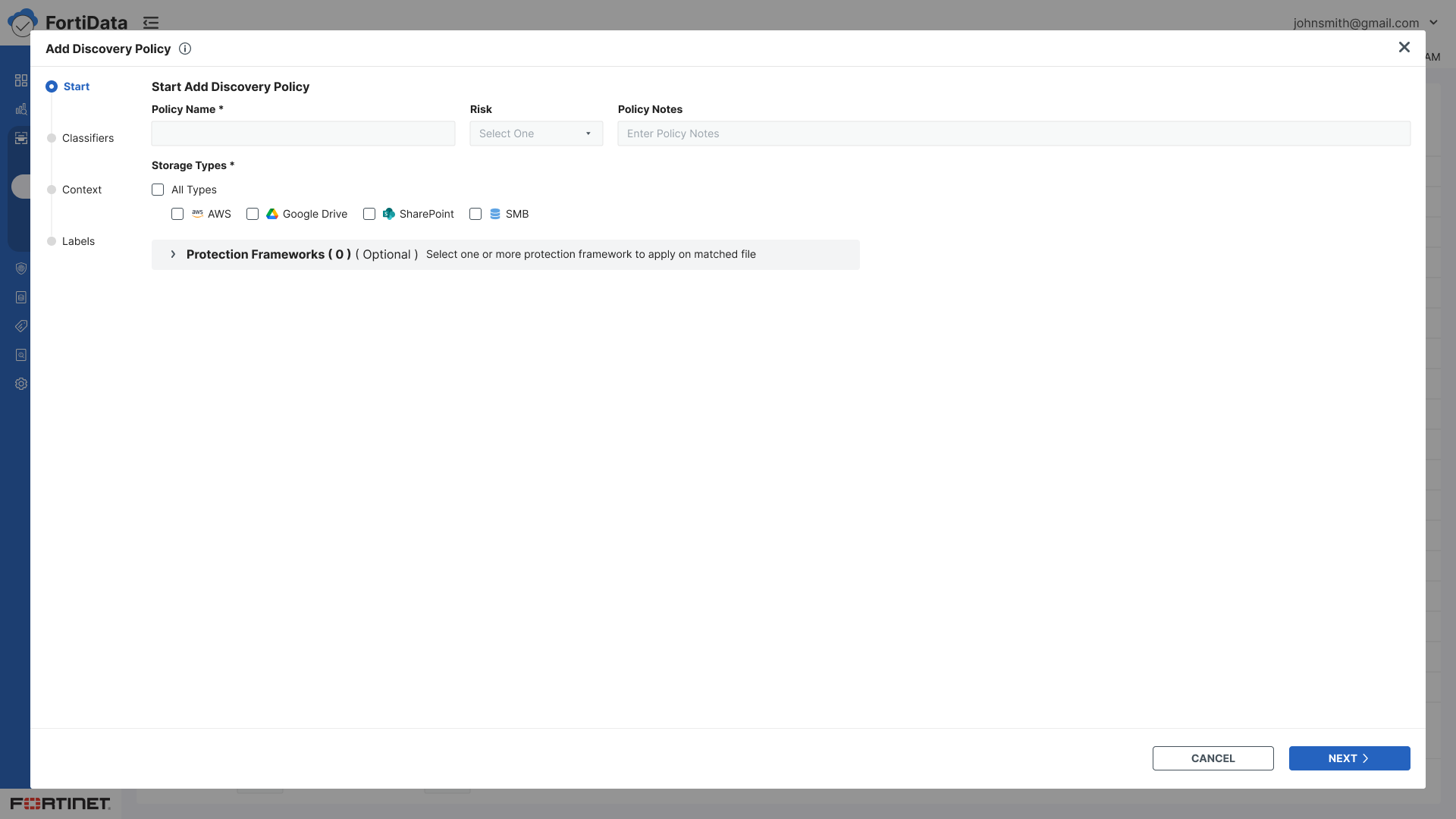
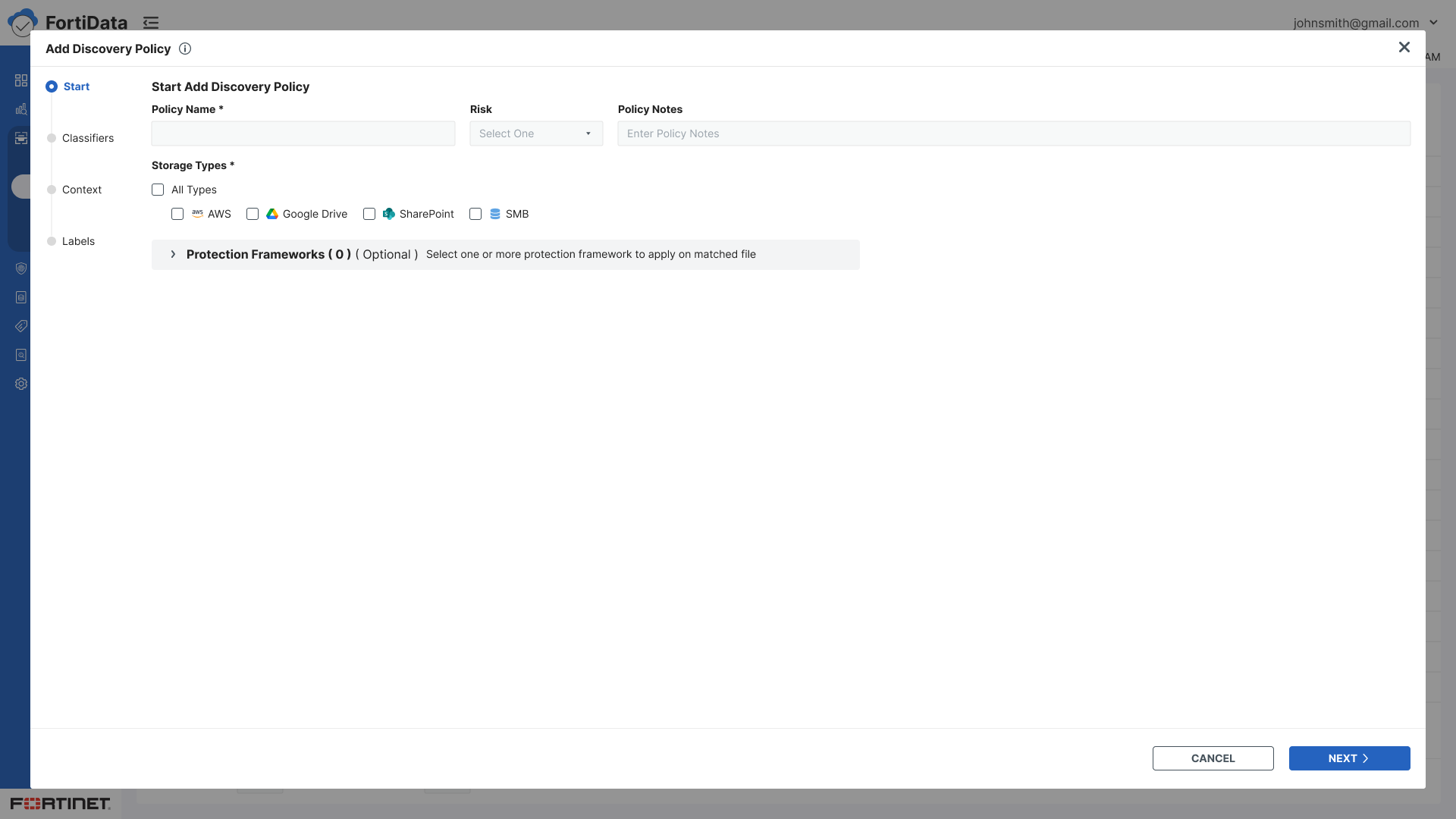
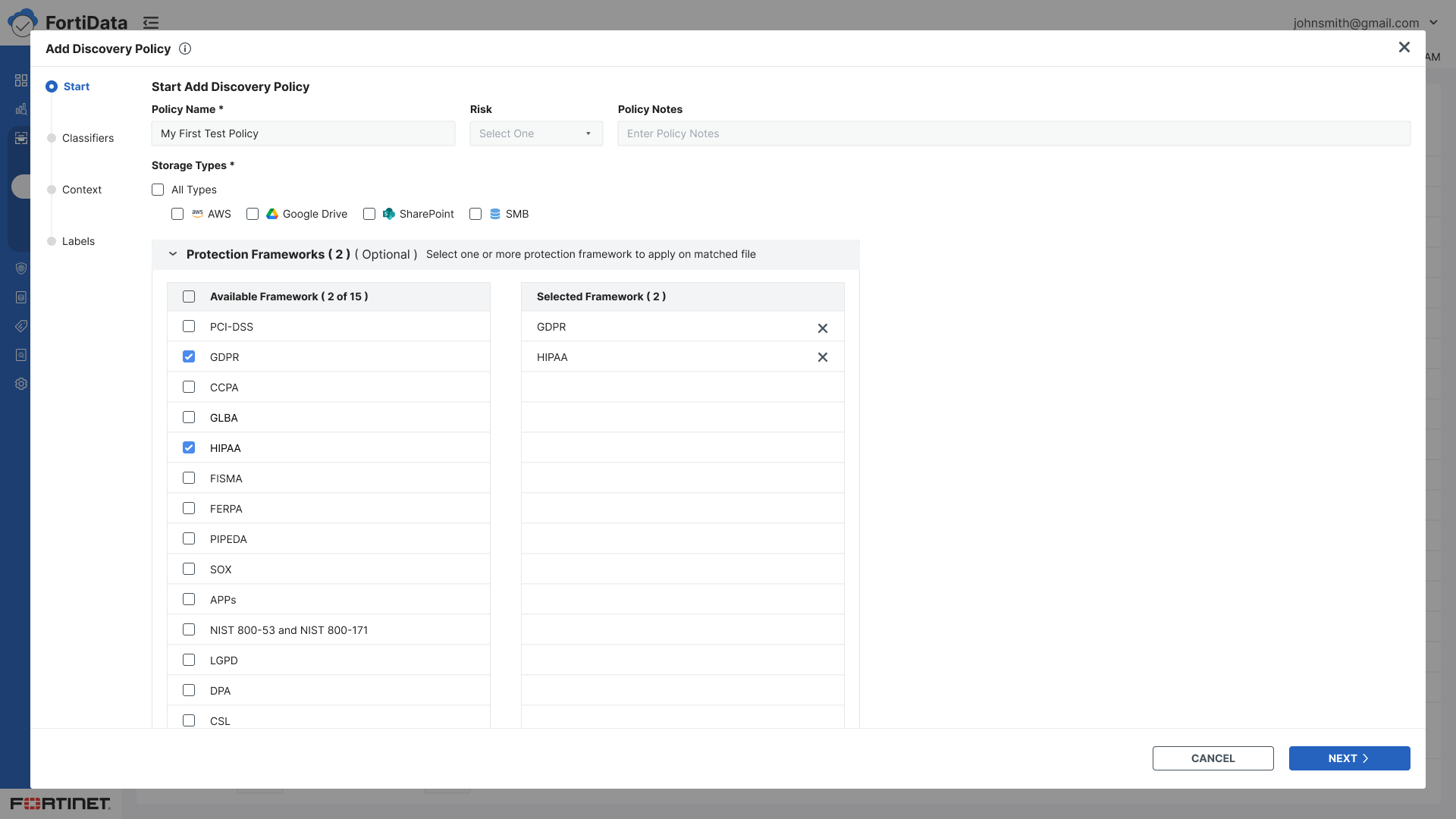
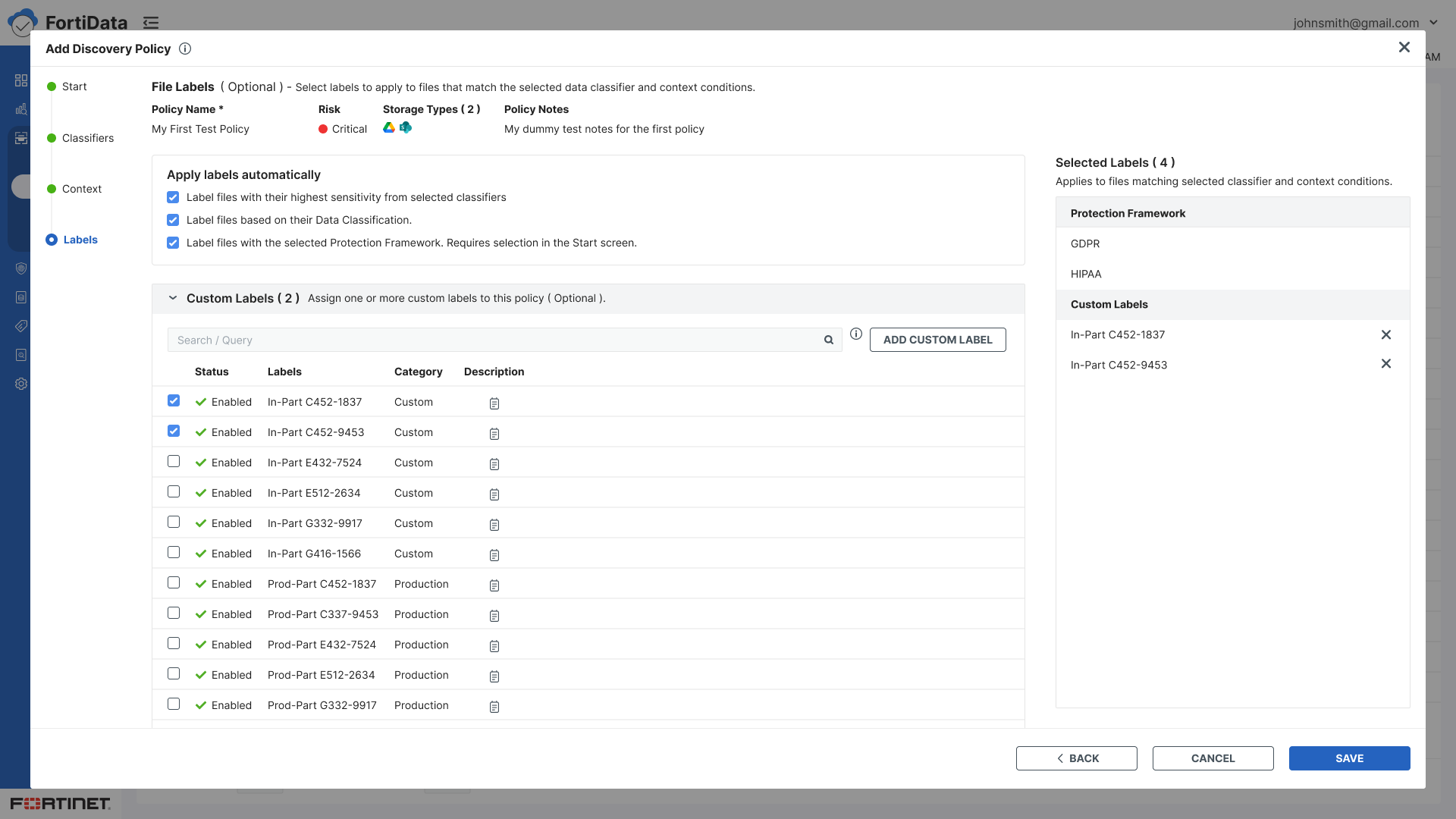
When the labeling step changed to automatic, a key stakeholder proposed de-emphasizing the Protection Framework option and initially did not want supporting messaging on the Labels screen. I explained that if we present the option, users should have clear guidance on how to use it. After discussion, the stakeholder agreed. The framework option was collapsed by default on the Start step, with contextual guidance added on the Labels screen: “Requires selection in the Start screen.”
Added contextual guidance throughout the wizard to help users understand the decisions and dependencies at each step.

AI in My Process
AI tools played a supporting role throughout this project:
ChatGPT — used to help refine and structure specification documents, ensuring clarity before moving into design execution
UX Pilot & Builder.io — referenced for design inspiration and to explore interaction patterns and layout ideas
Figma AI — used to rename layers and replace placeholder content with realistic copy, making designs cleaner and more review-ready
Figma Make — explored layout options and design variations before committing to final directions
These tools helped accelerate the process while keeping design decisions grounded in user needs and product context.

Prototype
The final wizard flow:
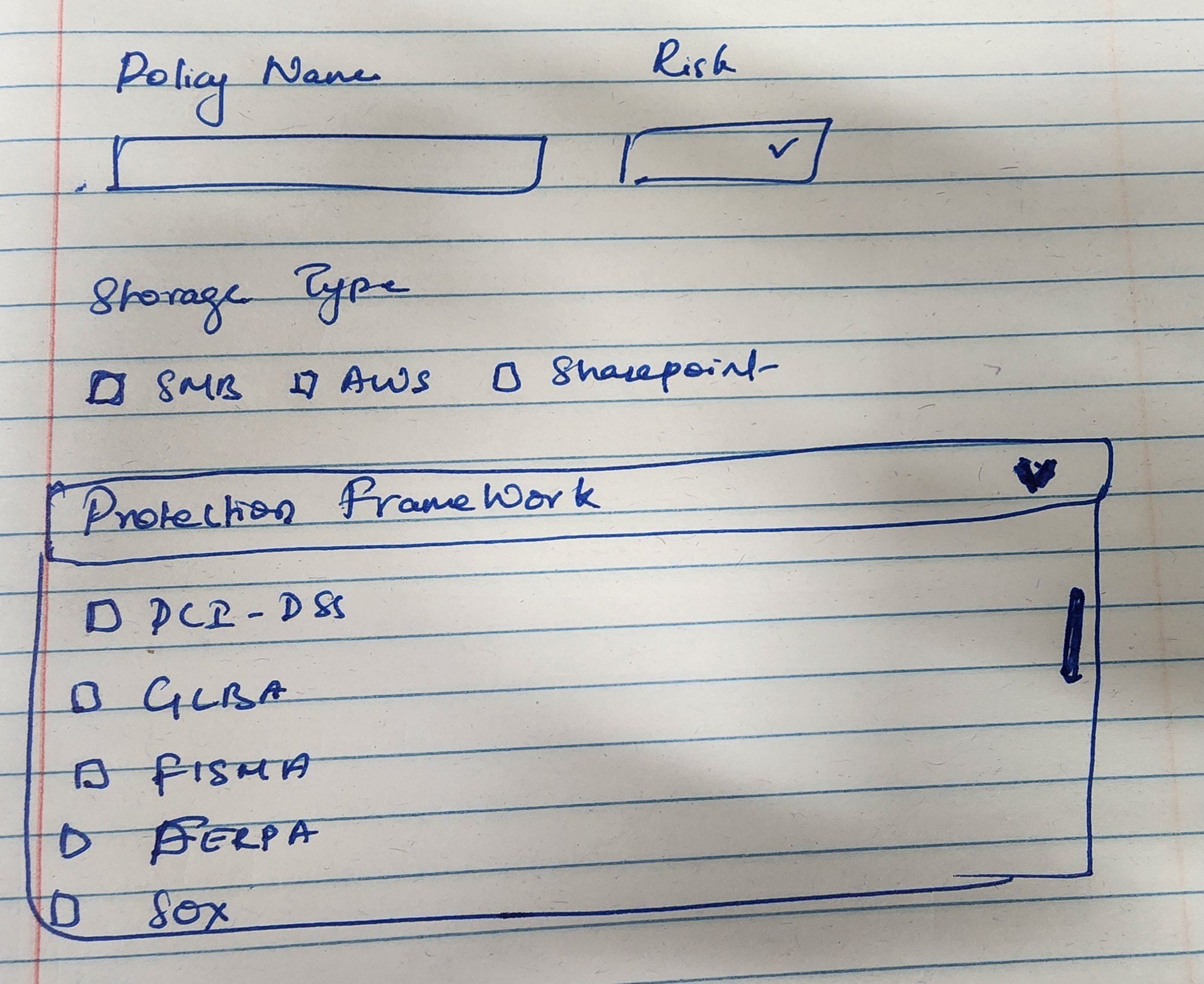
Start - Policy name, risk level, storage types, notes
Classifiers - Select predefined or custom data classifiers using checkboxes
Context - Build data context conditions using condition type, operator, and value with AND/OR logic
Labels - Automatic labeling with three options — highest sensitivity, data classification, or protection framework (collapsed by default)
Review - Final review and save
Key design decisions:
Split panel layout for classifiers and condition builder - visibility of both simultaneously
Selected classifiers displayed on the right panel for easy reference while browsing a large list
Checkbox selection replacing radio buttons for multiple classifier support
Protection framework collapsed by default - present but unobtrusive
Contextual guidance text added throughout every step
Policy context - name, storage type, risk, and notes - visible throughout all steps so users always knew which policy they were configuring

Validation & Iteration
The designs went through multiple internal review cycles with the UX Manager and Product Lead before development handoff. These reviews helped us identify evolving requirements and refine the interaction model. I iterated on the designs based on the feedback until the experience was aligned with Product and UX.
After implementation, QA testing was conducted to validate the final experience.
Initial Wireframes
High Fidelity

Outcome
The final Discovery Policy Wizard was reviewed and approved by the Product and UX teams and implemented as part of the FortiData product. The resulting experience provided a structured way for users to configure data discovery policies while keeping advanced capabilities available without adding unnecessary complexity to the primary workflow.

Key Takeaways
Designing for clarity sometimes means pushing back. And clarity isn't just about what you show — it's about when you show it, how you connect steps, and making sure users always know where they are and what comes next. That was the principle behind every decision in this flow.