Customer Replacement tool - Application Website
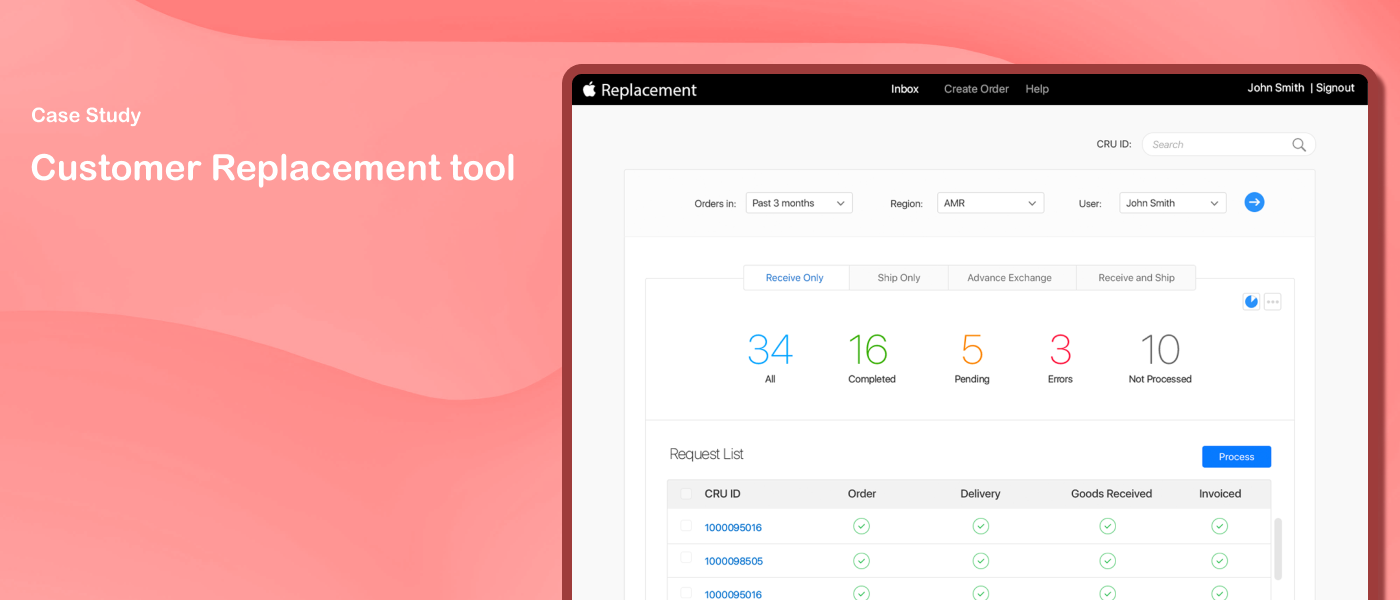
The Customer Replacement Tool is a process used to resolve customer issues that Apple has not been able to resolve through standard processes - such as shipping replacement units when a returned product can't be matched exactly.
Problem
The business was using an external tool that was outdated, with unsupported system infrastructure, unstable, and without support or fixes. It couldn't meet customer needs on time.
Solution
A secure, enterprise-level tool that automates the replacement process globally by providing customers with a finished goods replacement whenever Apple's standard operations fail to resolve an issue.
My Role
Lead UX Designer
My Responsibilities
Gathered business requirements from stakeholders through discussions on existing workflows and pain points. Designed the Material Lookup Application and shipment monitoring dashboard — from wireframes through high-fidelity prototypes. Worked with Apple's accessibility team to meet AA+ accessibility standards, identifying and resolving issues before go-live.
Duration
Sep 2019 – Dec 2019 (First phase)
Design Process
During initial discussions with stakeholders, I found that the existing third-party tool wasn't helping agents complete the replacement process efficiently. Agents had to navigate from their portal to Apple.com to create requests, with manual intervention required at several steps. They often had to separately open the AOS internal store to determine the part number of the product to be shipped.
The business wanted to automate this process and also gain visibility into order progression and shipment updates.

Discovery
Four scenarios were identified that business partners used to resolve these issues:
Receive Only - receive the customer's bad unit and appease them financially
Appeasement - send a replacement unit to the customer free of charge without requiring the bad unit to be returned
Standard Replacement - receive the customer's bad unit, then trigger the replacement order upon receipt
Advanced Replacement - send a replacement to the customer before receiving the bad unit, with penalties if the bad unit isn't returned

Analysis
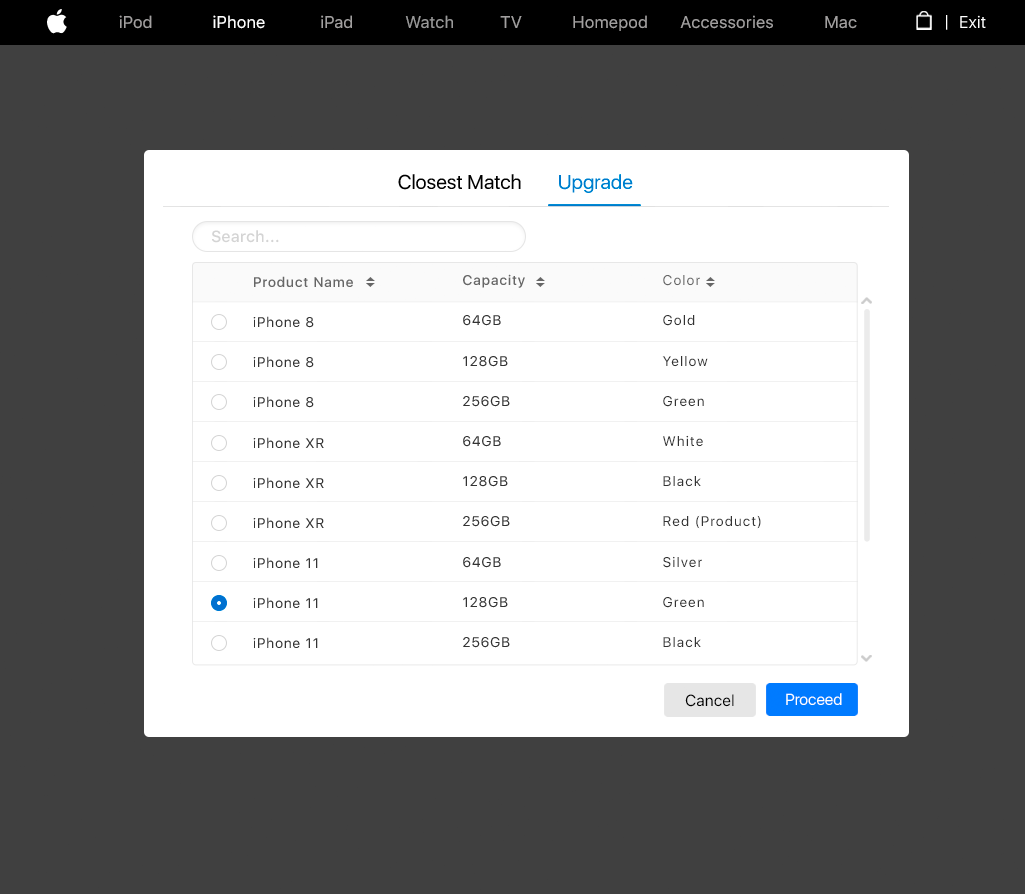
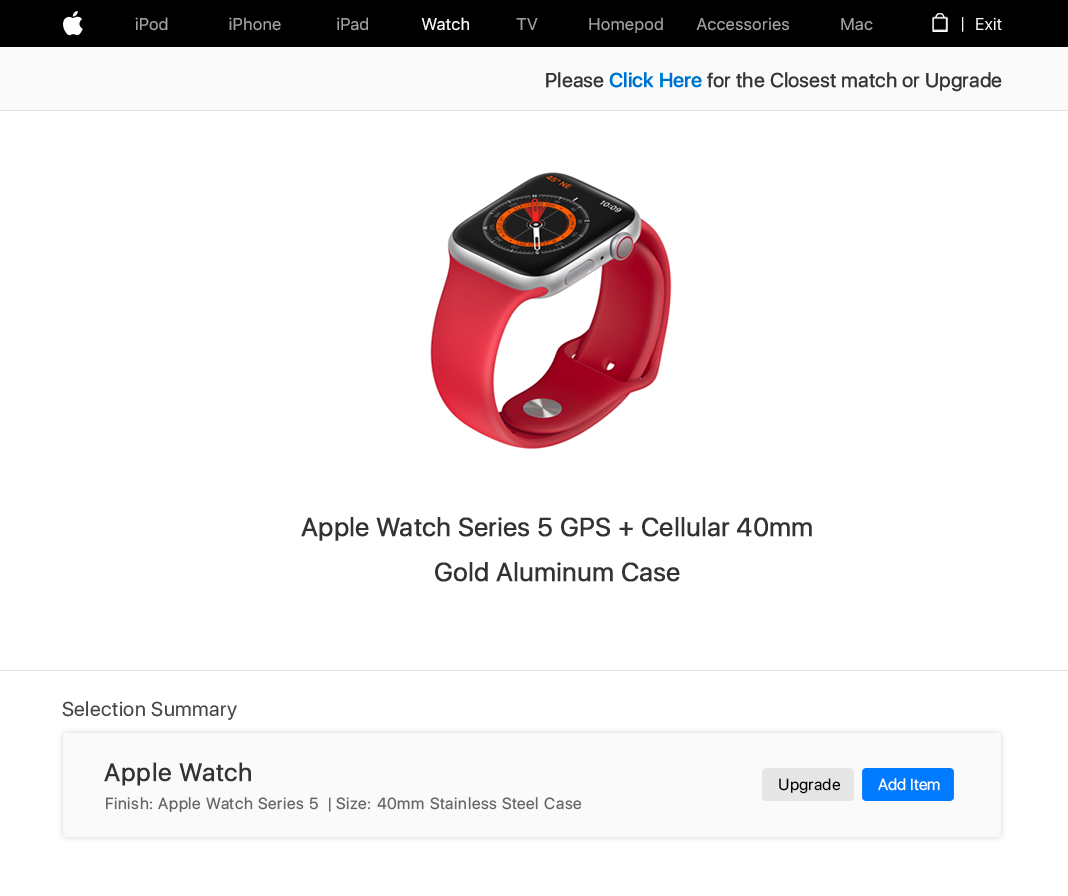
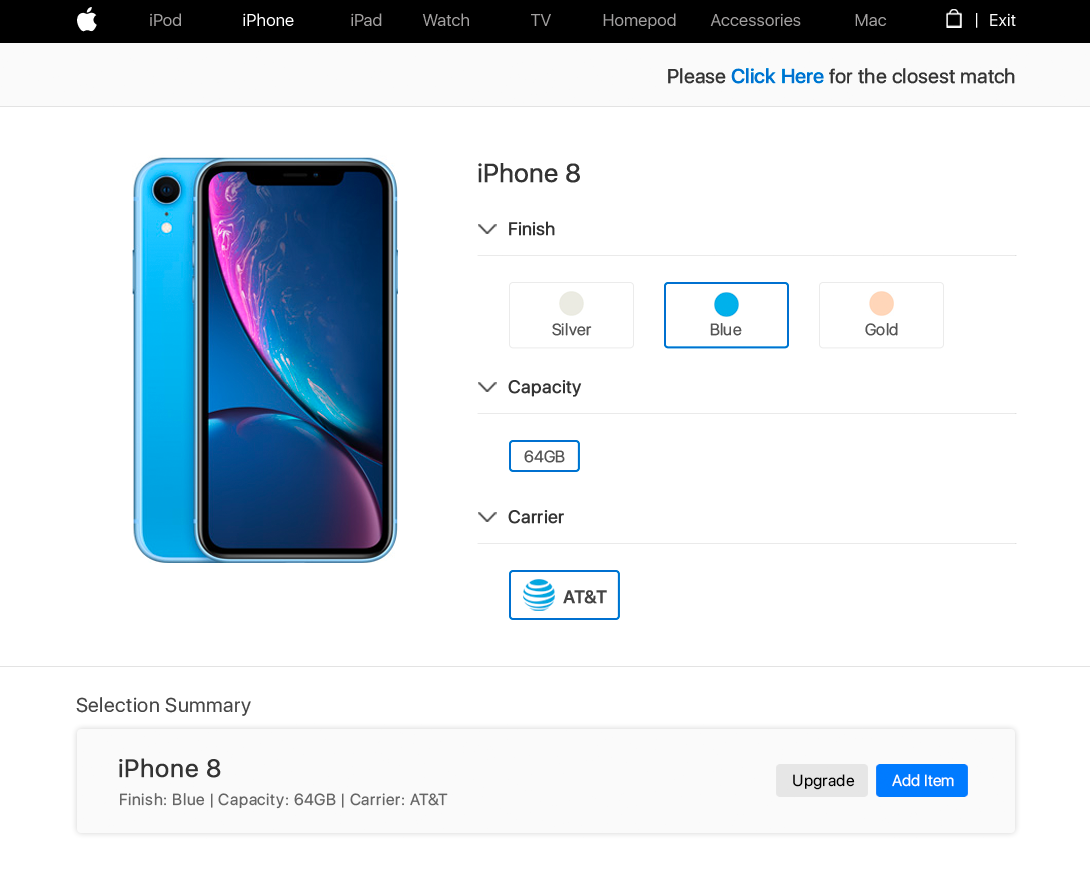
Based on the discovery findings, one of the key ideas that emerged was a Material Lookup Application — facilitating accurate material determination based on user selections, and retrieving price and availability for the product. This would be used in the appeasement model, where a product is shipped to the customer free of charge.
I also designed a dashboard to monitor shipping status across requests. A key requirement was helping agents find the closest match or upgrade option when the exact product wasn't available to ship.

Ideation
Few Design Previews
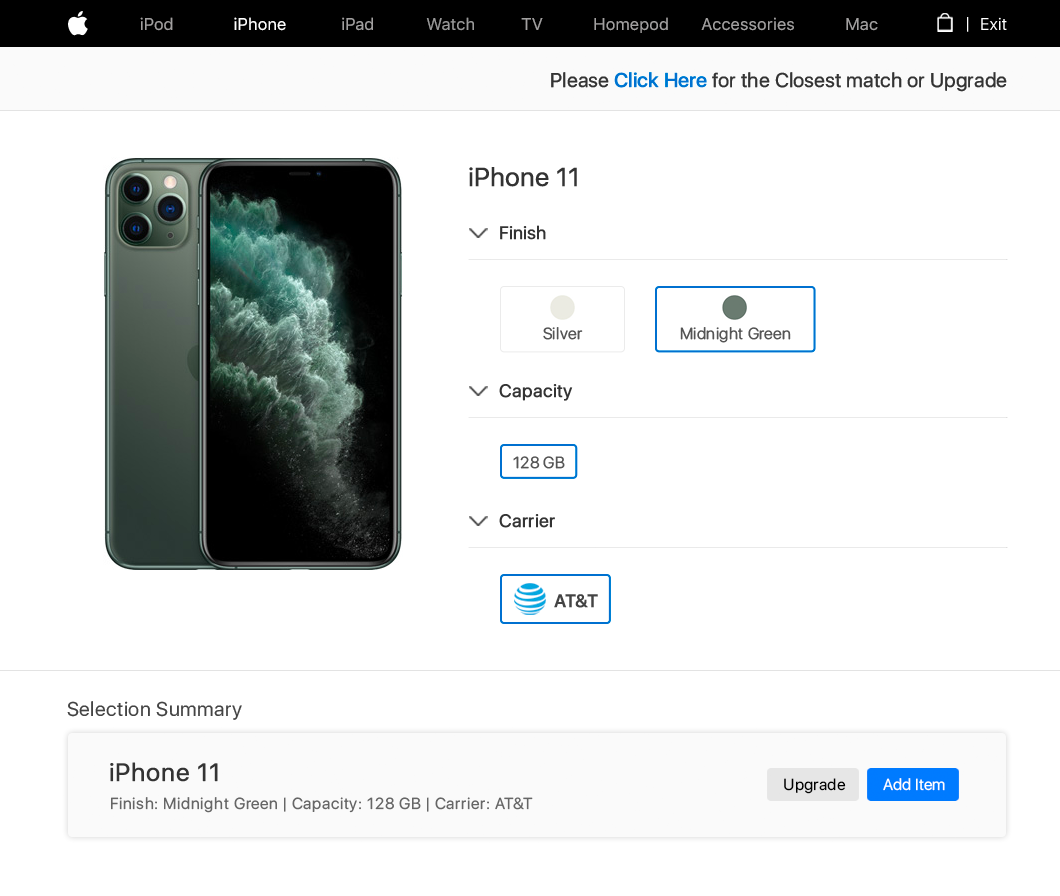
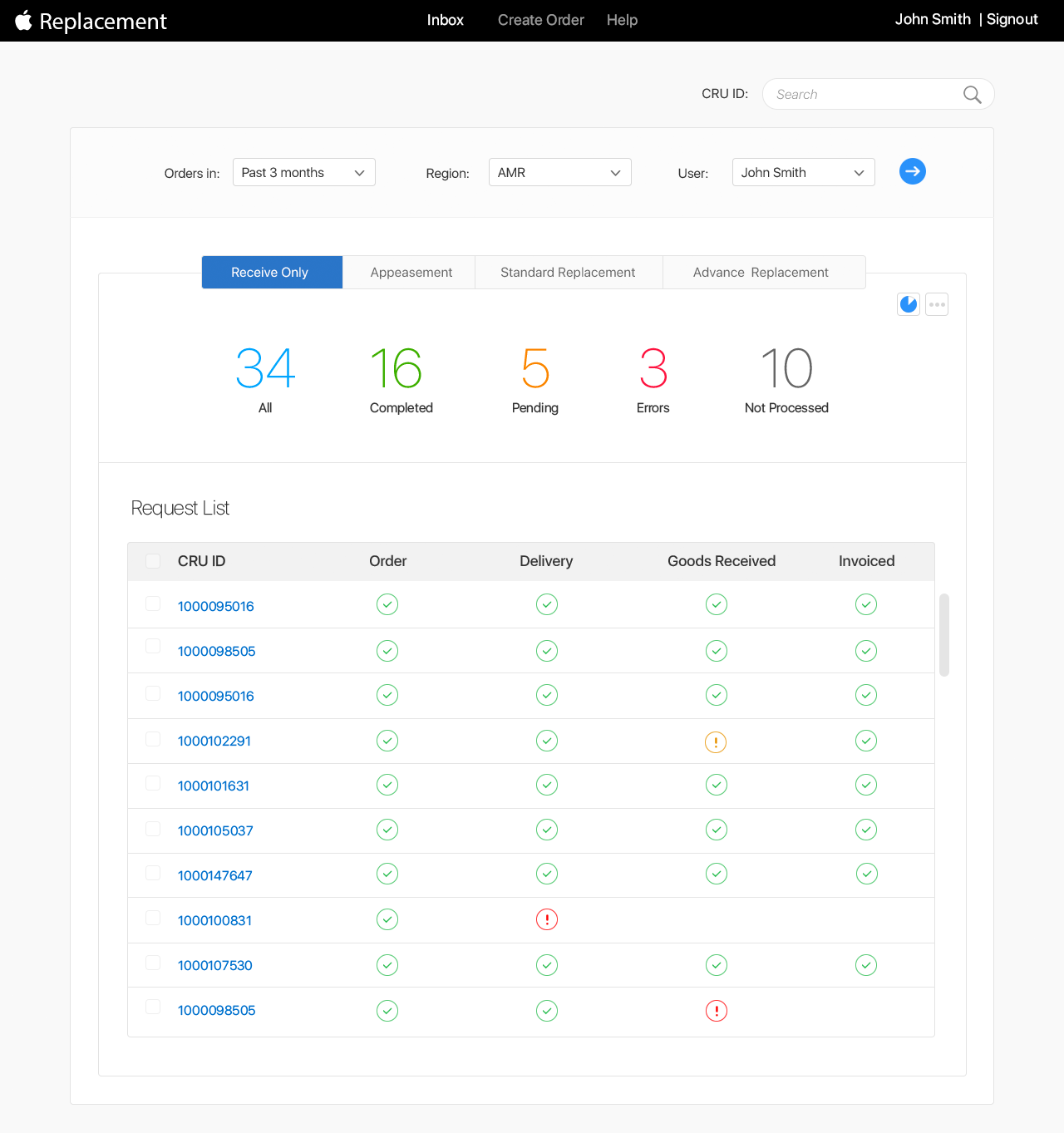
This project needed to meet Apple's AA+ accessibility standards. I worked with the IS&T CoE team — the subject matter experts for web accessibility. Since this was built on the SAP portal, there were specific issues with iframes, primarily affecting VoiceOver and keyboard-only users.
A few examples:
Clear and Search buttons were inaccessible to VoiceOver users
"Receive Only", "Ship Only", "Advance Exchange", and "Receive and Ship" labels were inaccessible to VoiceOver and keyboard-only users
The donut chart was inaccessible to VoiceOver and keyboard-only users
Native button elements were needed instead of custom implementations
A hidden main heading (H1) was required for screen reader navigation
All interactive elements needed to be accessible via keyboard only
Status buttons (All, Complete, Pending, Error, Cancelled) needed to be exposed as tabs to VoiceOver
VoiceOver labels needed to match visual labels
Almost all major accessibility issues were fixed and signed off before go-live.

Accessibility Issues
The project team was pleased with the final delivery — all major accessibility issues were identified and resolved before go-live, achieving AA+ compliance sign-off from Apple's IS&T Center of Excellence. The tool successfully automated the previously manual customer replacement process.

Outcome
Accessibility isn't an afterthought — it shapes design decisions from the start. Working through AA+ compliance issues, especially around VoiceOver and keyboard navigation on an SAP-based interface, required rethinking how information was structured, not just how it looked. Designing for replacement workflows also showed how much complexity can hide behind a simple customer request — four different scenarios, each with its own rules, needed to feel like one coherent experience to the agent using the tool.