
Plano tool - Web Application
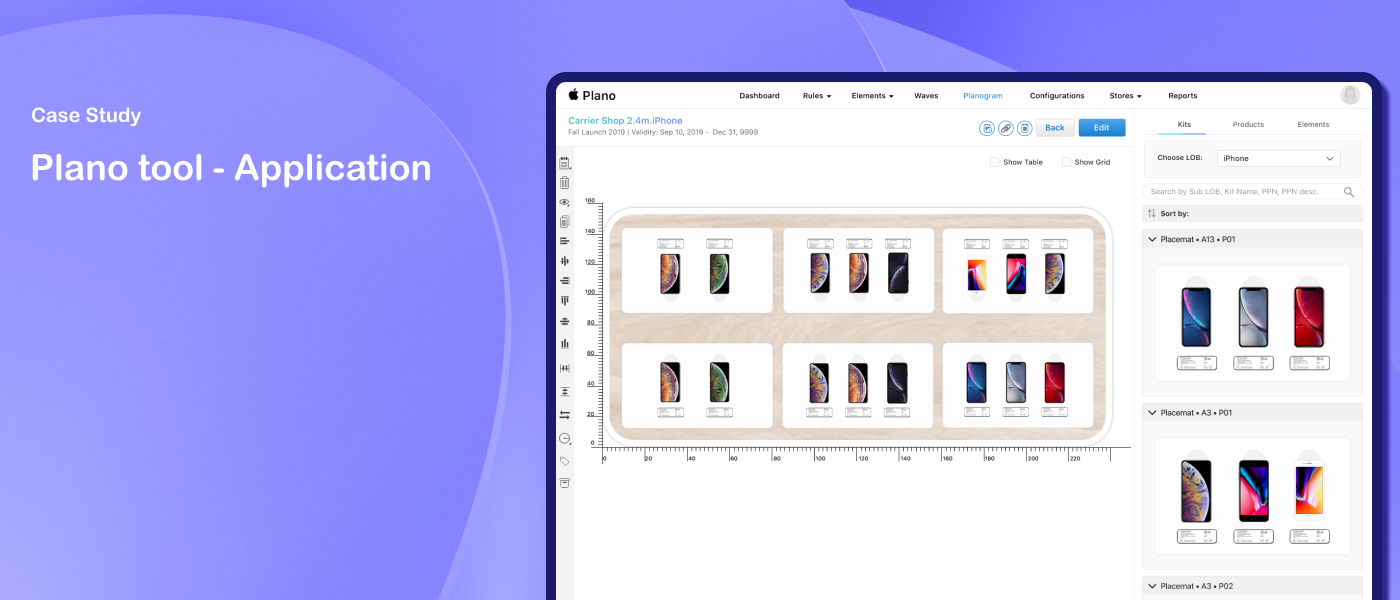
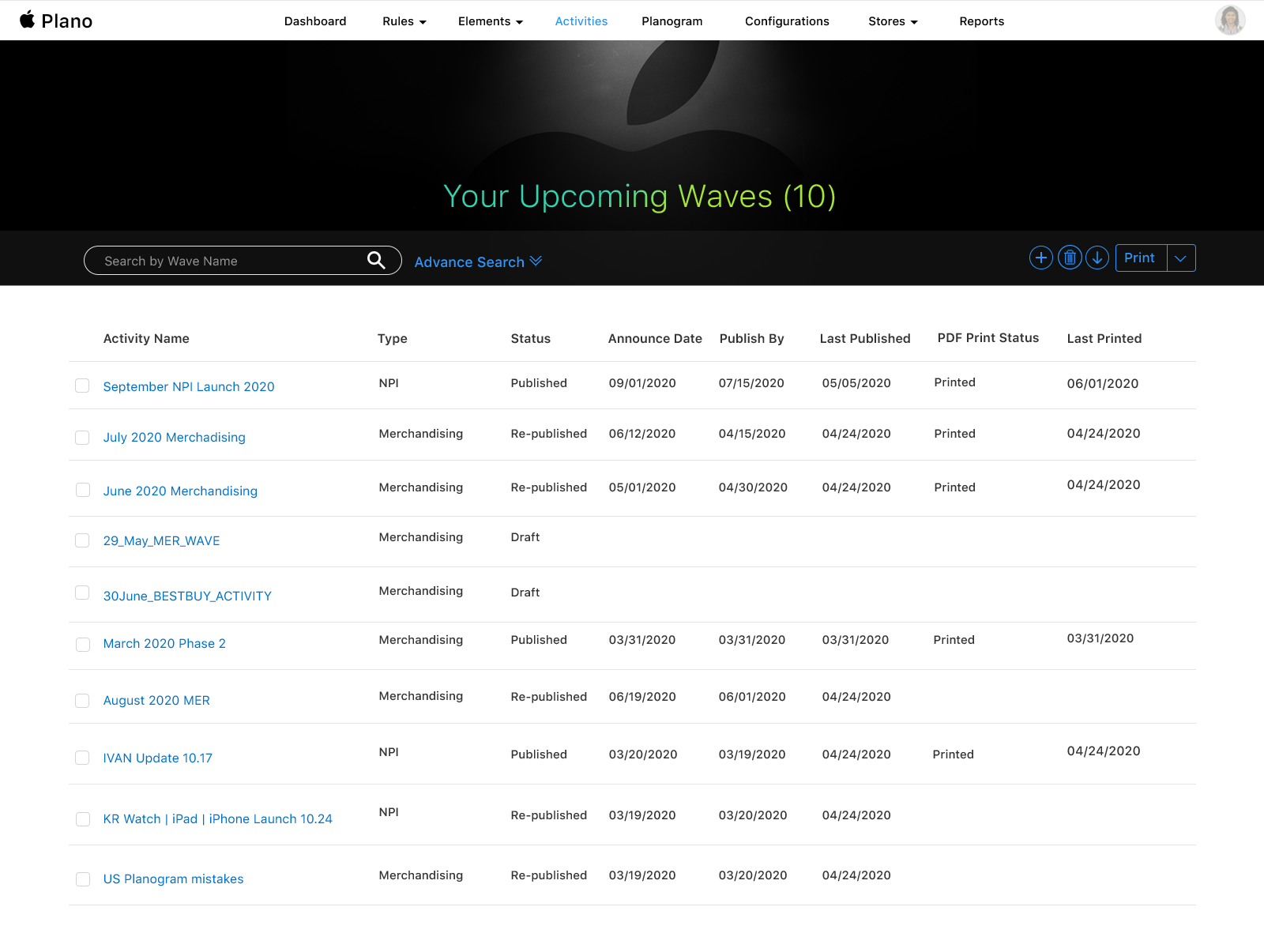
Plano is Apple's global planogram tool — an end-to-end merchandising system that gives an immediate visual representation of store space for reseller stores. It handles all key elements of merchandising — products, kits, planograms, and store layouts.
Problem
For over 10 years the planogram process was completely outsourced to a third-party vendor based in the US. The vendor used CAD drawing software for planograms and an internal web app for printing PDFs and other reporting needs. The challenges with the old tools were scalability, performance, and lack of collaboration.
Solution
An intuitive interface that gives an immediate visual representation of store space for reseller stores, built as an end-to-end process within the app.
My Role
Lead UX Designer
My Responsibilities
Worked with stakeholders to gather requirements and define the product direction. Collaborated with other designers on wireframing and high-fidelity designs. Conducted store visits with business functionals to understand real-world merchandising workflows. Designed the planogram interface, configuration screens, and reporting views - iterating based on feedback through to developer handoff.
Duration
Jun 2020 – Dec 2020
Design Process
Apple Stores were already using an earlier digital tool we had built. Through this, we learned that reseller stores were relying on a third-party tool that wasn't scalable, was inefficient, and had performance issues. The success of the earlier tool gave the business confidence to invest in a similar but more flexible solution for global use.

Define
Through discussions with stakeholders, the expectation was clear - build a digital product that was scalable across devices including iMac, laptop, and iPad. For the initial phase, the goal was a web application, with PDF generation for reseller stores as a parallel requirement.
To understand how products were actually arranged in stores, I visited local reseller stores along with business functionals - seeing firsthand how merchandising decisions were made on the floor. This grounded the design in real store conditions rather than assumptions.

Discovery
Starting with draft templates and the prior digital tool as a reference base, the team began building wireframes. The design needed to account for several core concepts:
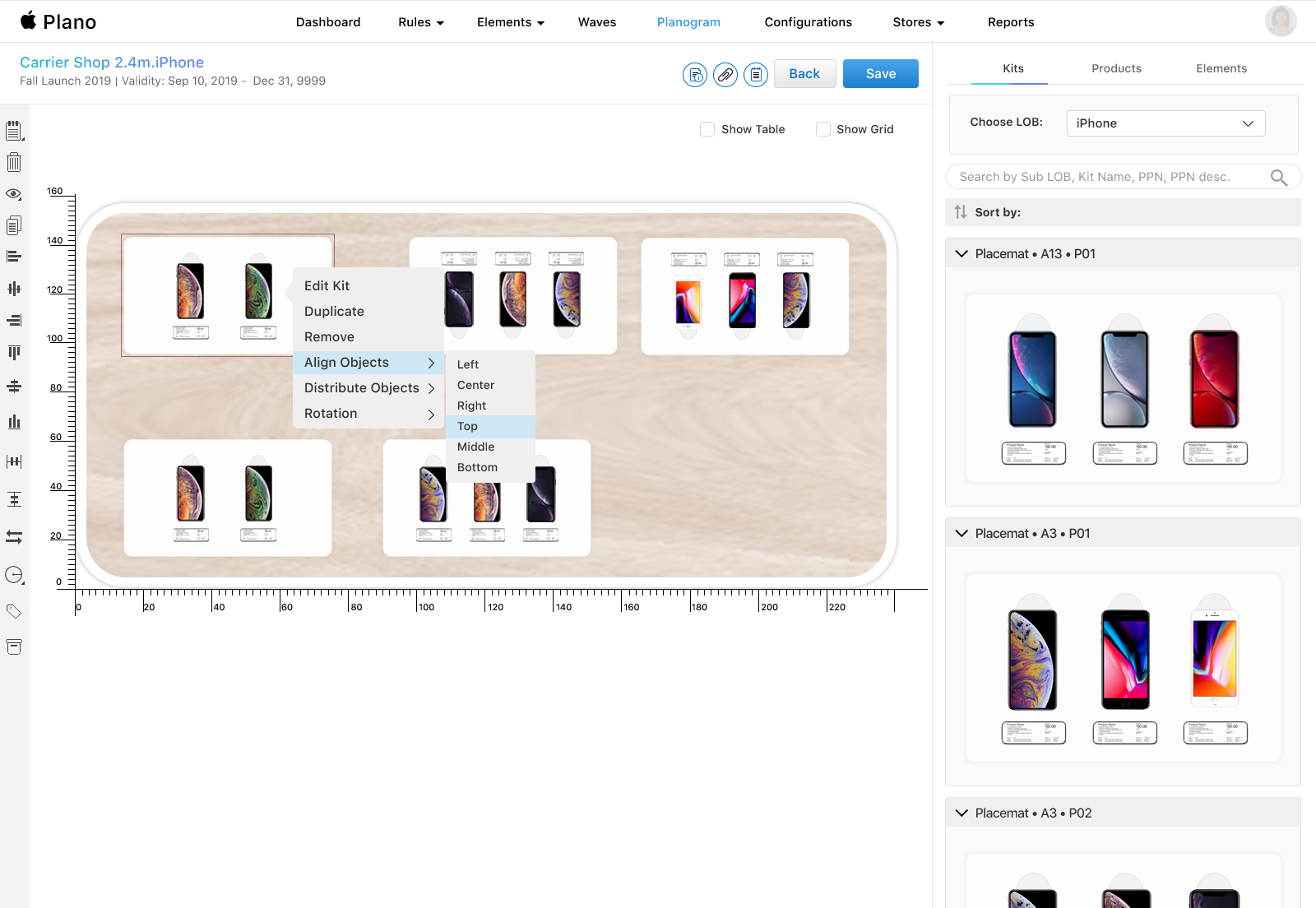
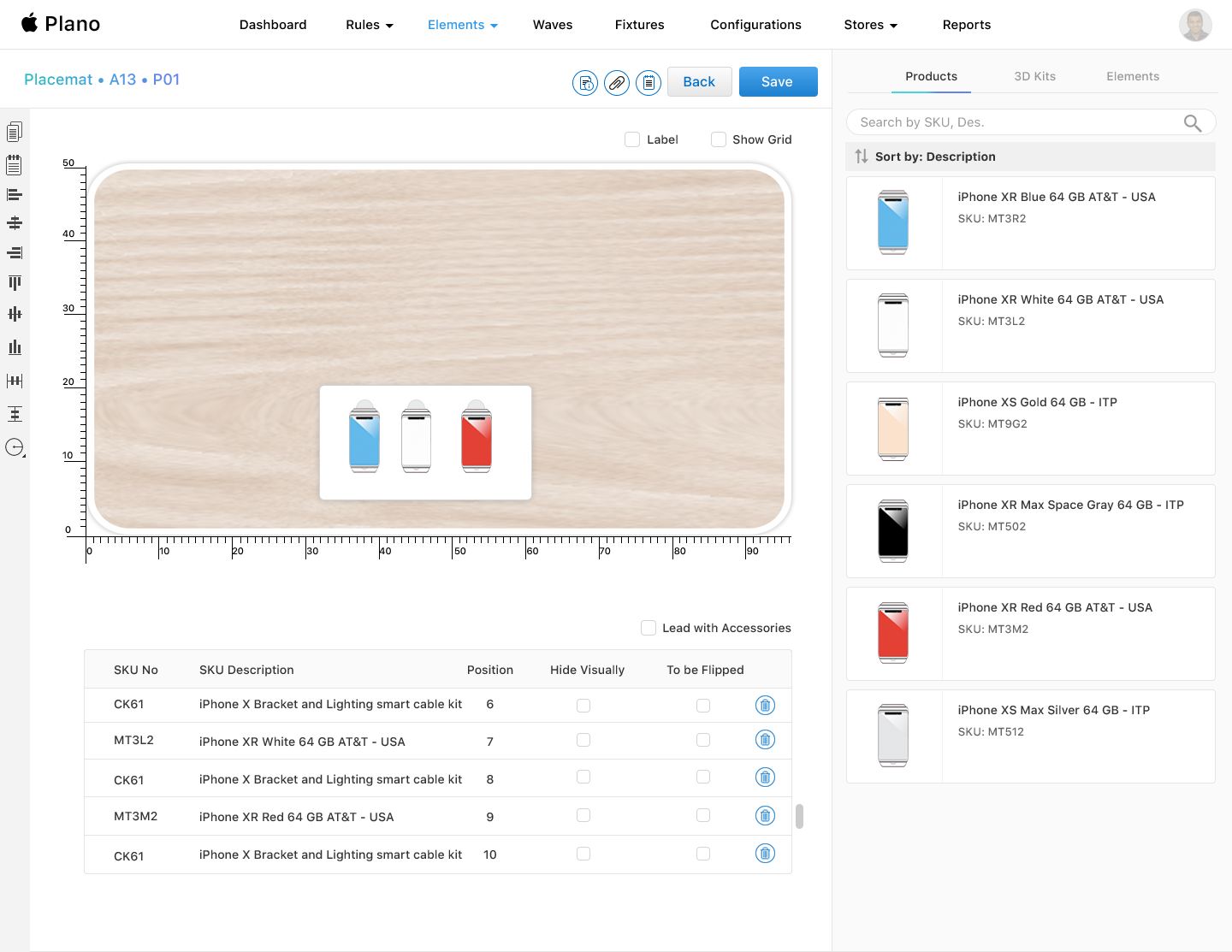
Products — items like iPhones, iPads, and Accessories that can be placed in reseller stores for merchandising
Visual Elements — anything placed on a fixture that isn't a product, such as a graphic panel or a 3D table surface
Configuration — a collection of planograms that fit directly onto a store map, telling stores which planograms belong where
Ideation
Wireframes
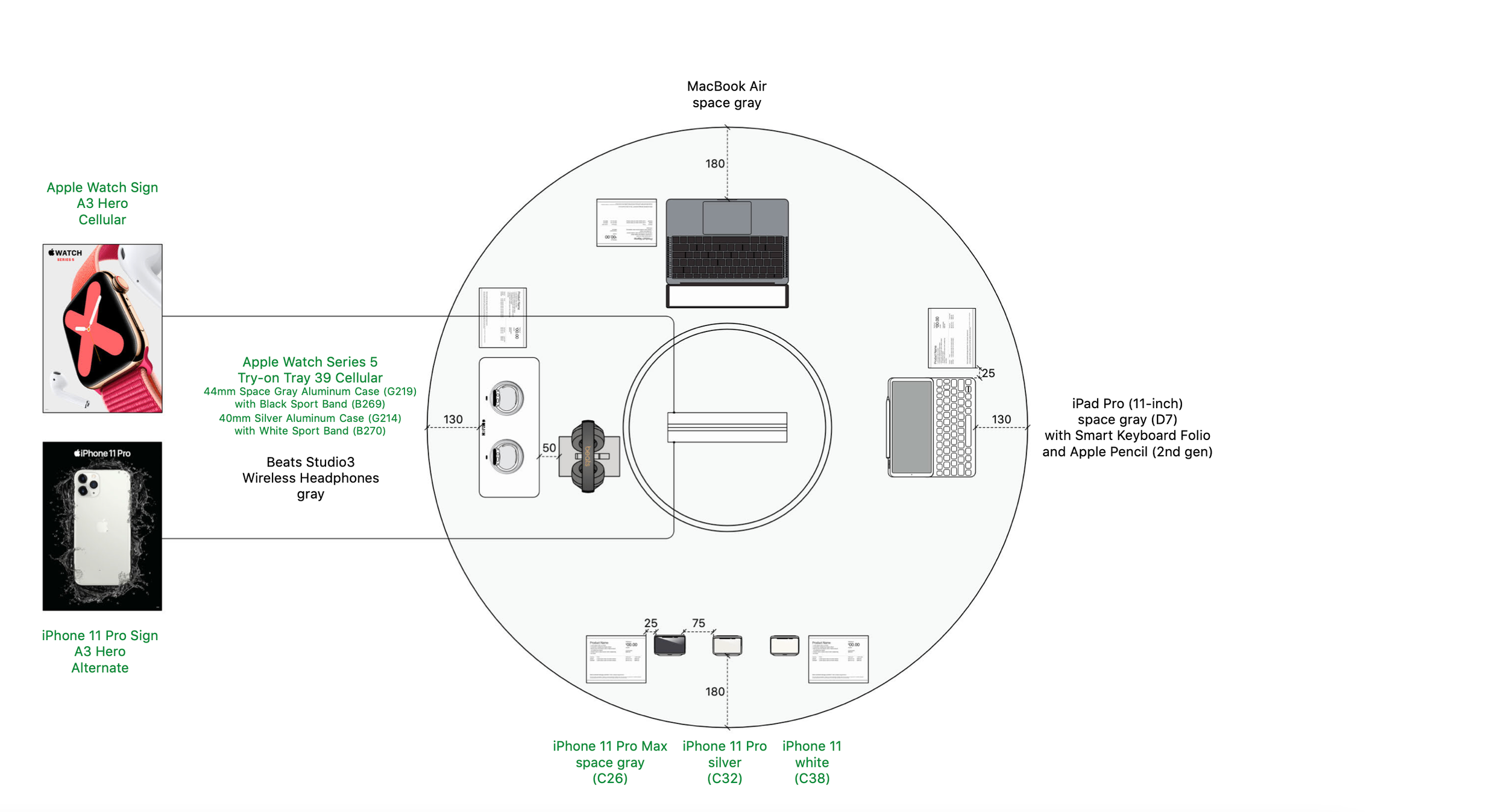
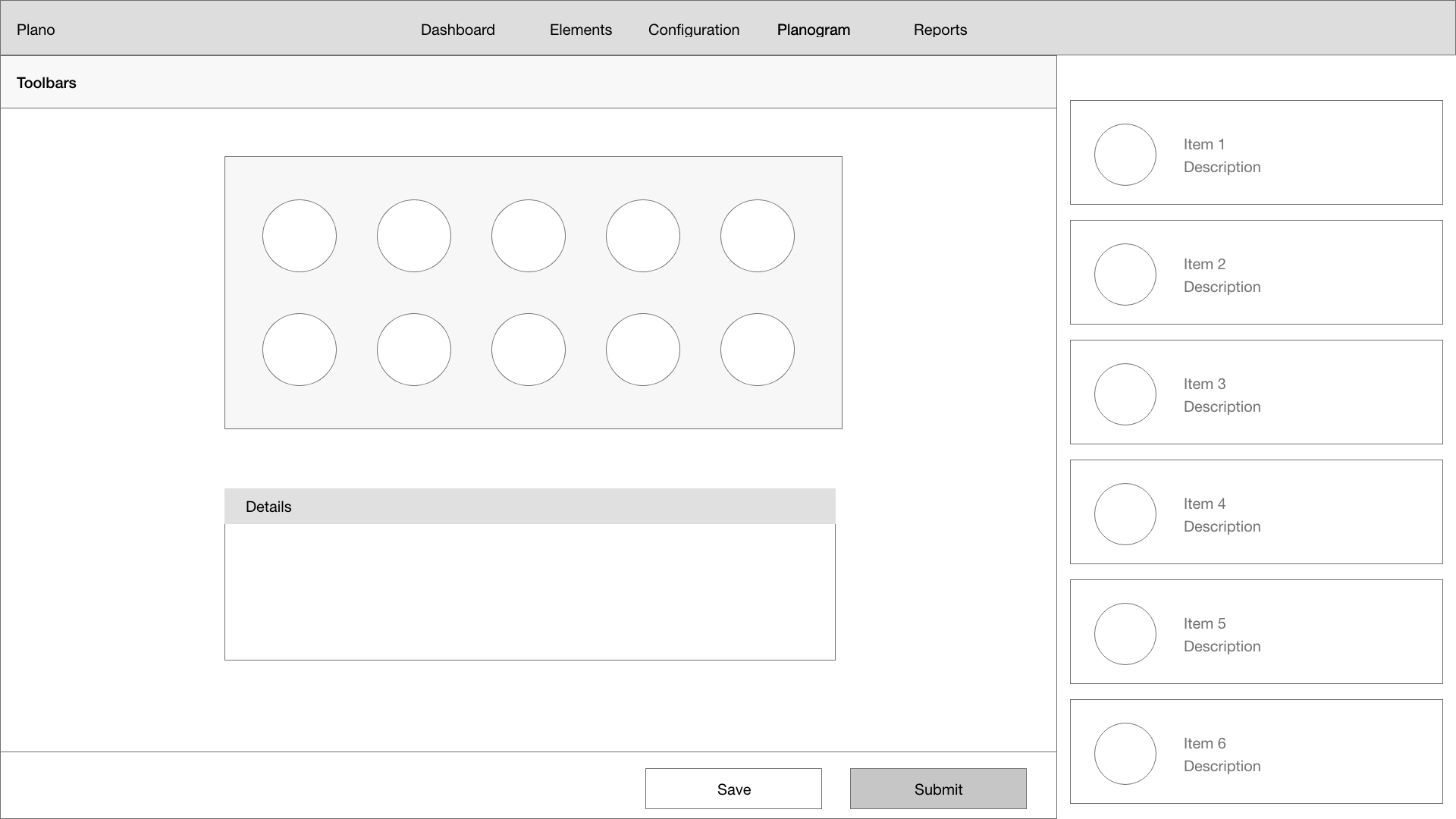
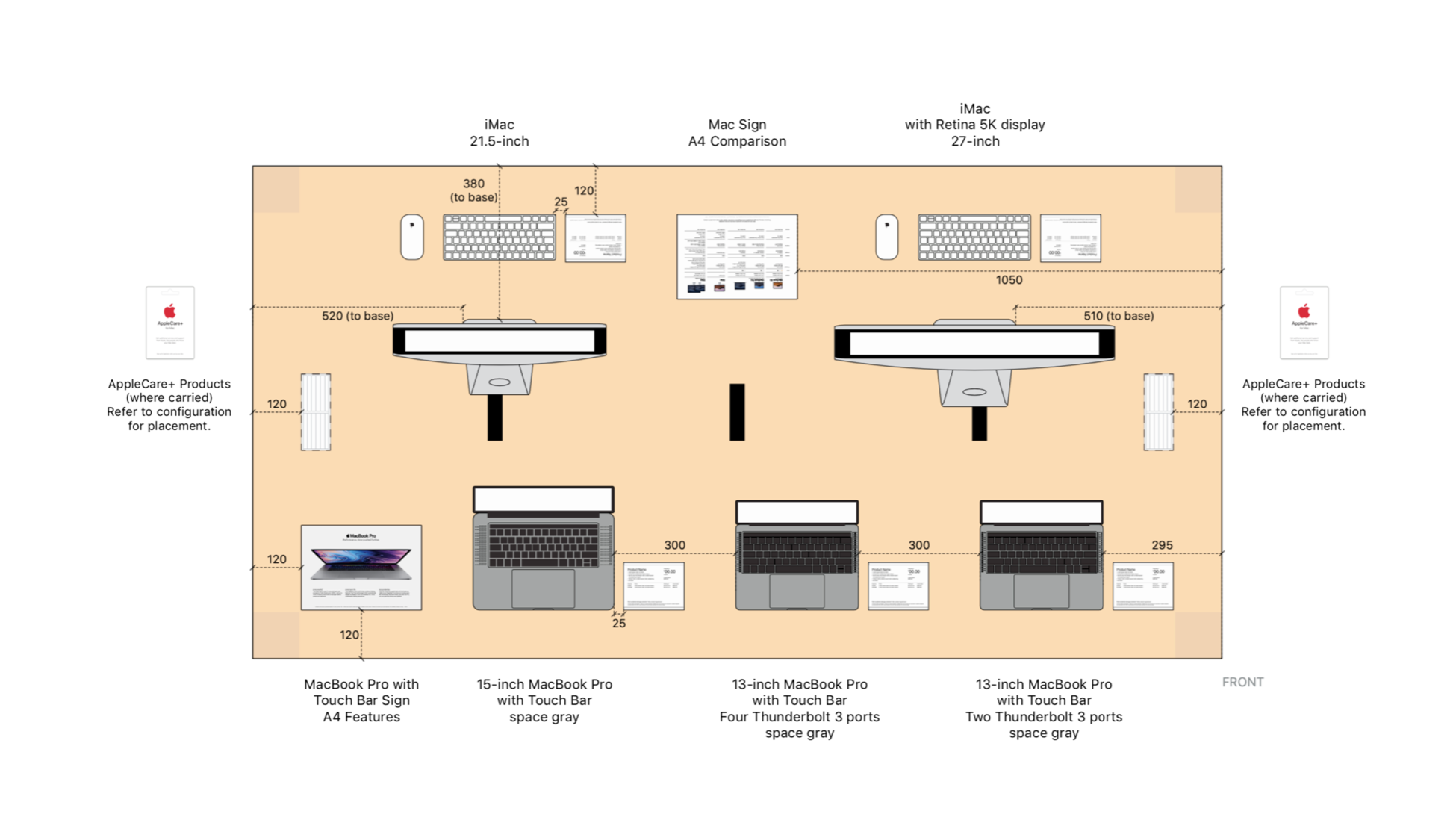
The Planogram application is central to the merchandising workflow within this tool. Planograms represent the merchandised areas of a store - demo tables, demo counters, wall bays, and accessory fixtures. Users can drag multiple kits to complete planogram placements and save changes to commit them to the system.
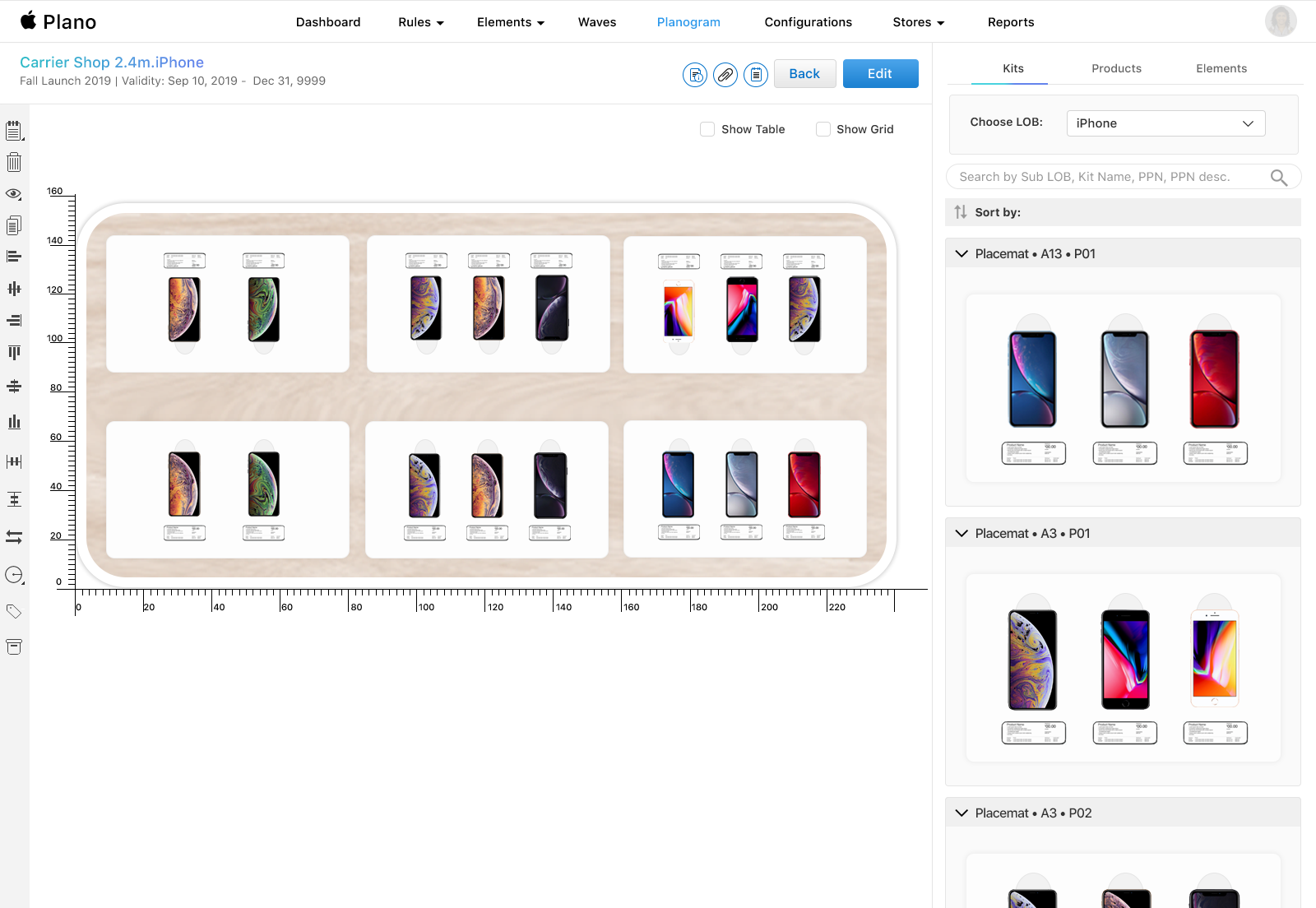
Visual Mockups
High Fidelity Mockups
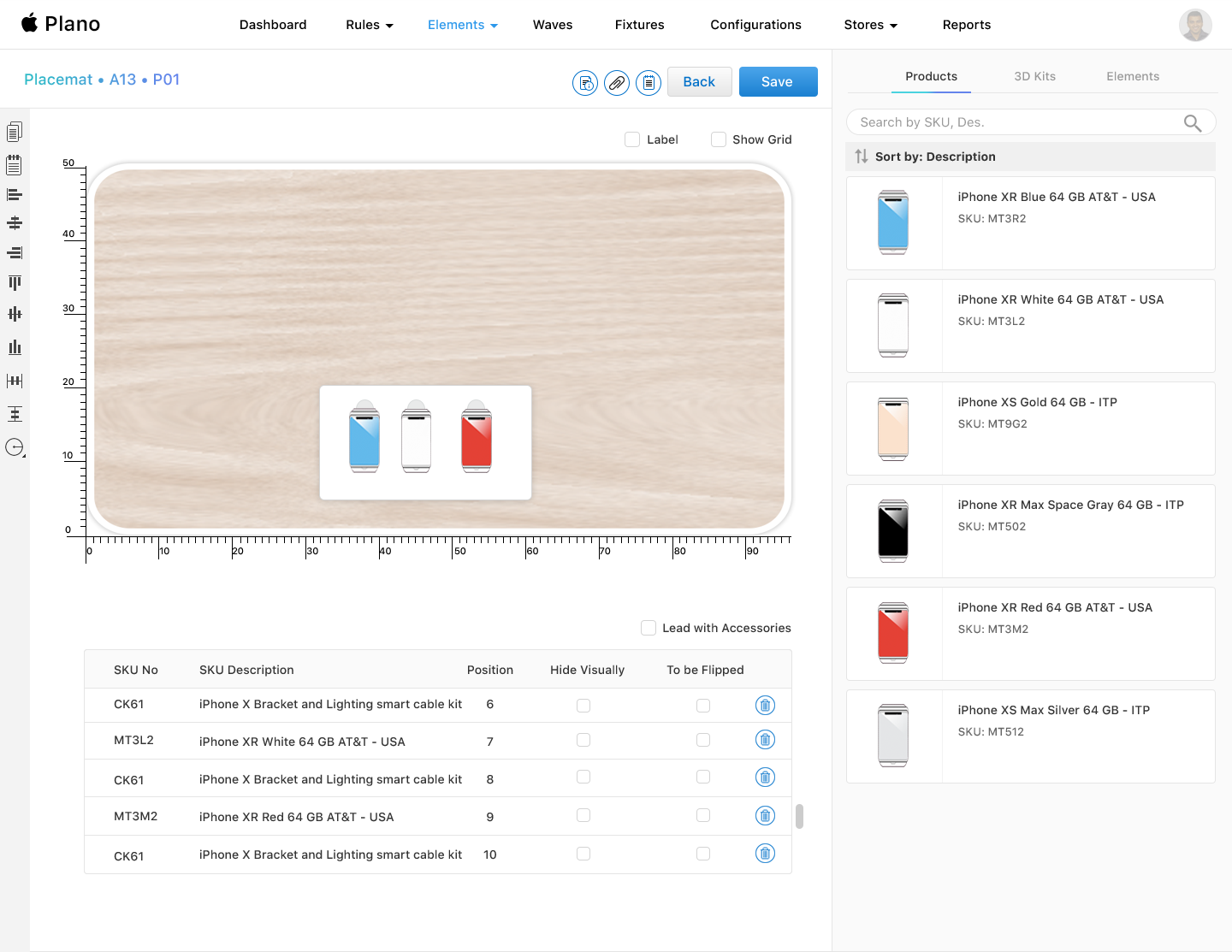
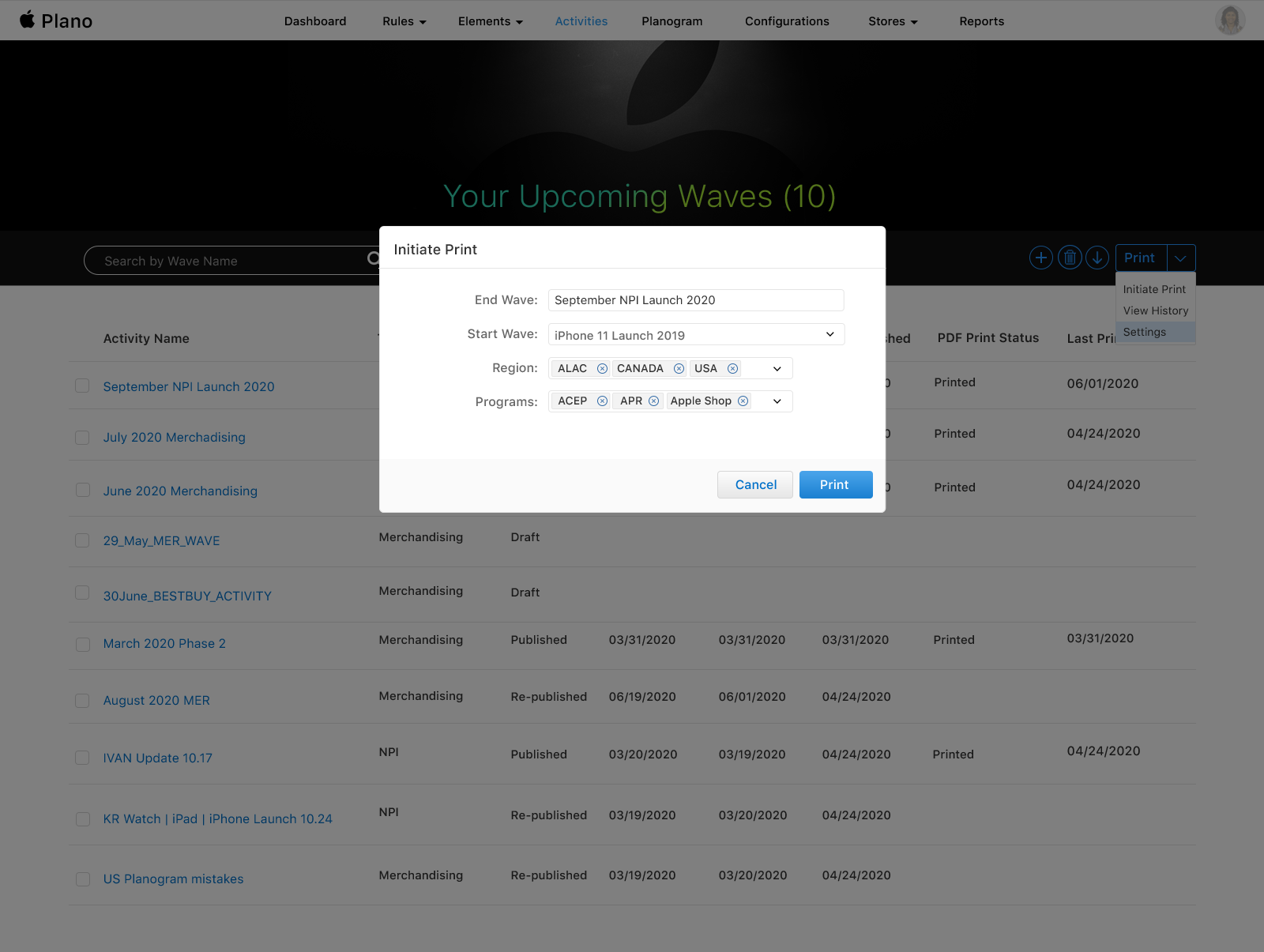

Outcome
The Plano Tool was successfully rolled out to Apple reseller stores, replacing the outdated third-party vendor tool. The team was satisfied with the final product — delivering a scalable, web-based merchandising platform that met the business goal of bringing the planogram process in-house.

Key Takeaways
Visiting reseller stores and seeing how products were actually arranged on the floor was invaluable - it shaped how I thought about every screen in this tool. Designing for a global, scalable product also meant balancing flexibility with simplicity, ensuring the interface worked across devices and store types without becoming overly complex.